> ## Documentation Index
> Fetch the complete documentation index at: https://docs.traversal.com/llms.txt
> Use this file to discover all available pages before exploring further.
# Changelog
> New features, improvements, and updates to Traversal.
## Throughput improvements for the Traversal Processor
[Traversal Processor](/setup/processor) 0.4.0 ships alongside the 0.4.0 Helm
chart with a rebuilt ingest and processing engine, delivering massive
improvements to throughput and reliability under heavy load.
* **Higher throughput** — up to \~80,000 records/s (\~300 MB/s) per pod on the
`large` size tier.
* **One-knob sizing** — `size: normal|large` sets CPU, memory, and internal
tuning to validated presets. See [sizing and throughput](/setup/processor#sizing-and-throughput).
* **Deeper observability** — a new and more detailed set of `processor.*`
metrics.
See the [Processor Helm chart changelog](/setup/processor-changelog) for
the chart-side changes in this release, including a breaking values-file
reorganization.
## Choose investigation depth over the Sessions API
The [Sessions API](/api/sessions) now accepts an optional `thinking_mode` on
both session creation and follow-ups. Pass `deep` to force a thorough
root-cause analysis, `fast` for a quick exploratory pass, or leave it as the
default `auto` to let Traversal pick — existing integrations need no changes.
Follow-ups now also count toward the same per-organization concurrency limit
as new sessions, so a burst of follow-ups is throttled with a `429` the same
way session creation already is.
## A clearer picture of Traversal adoption
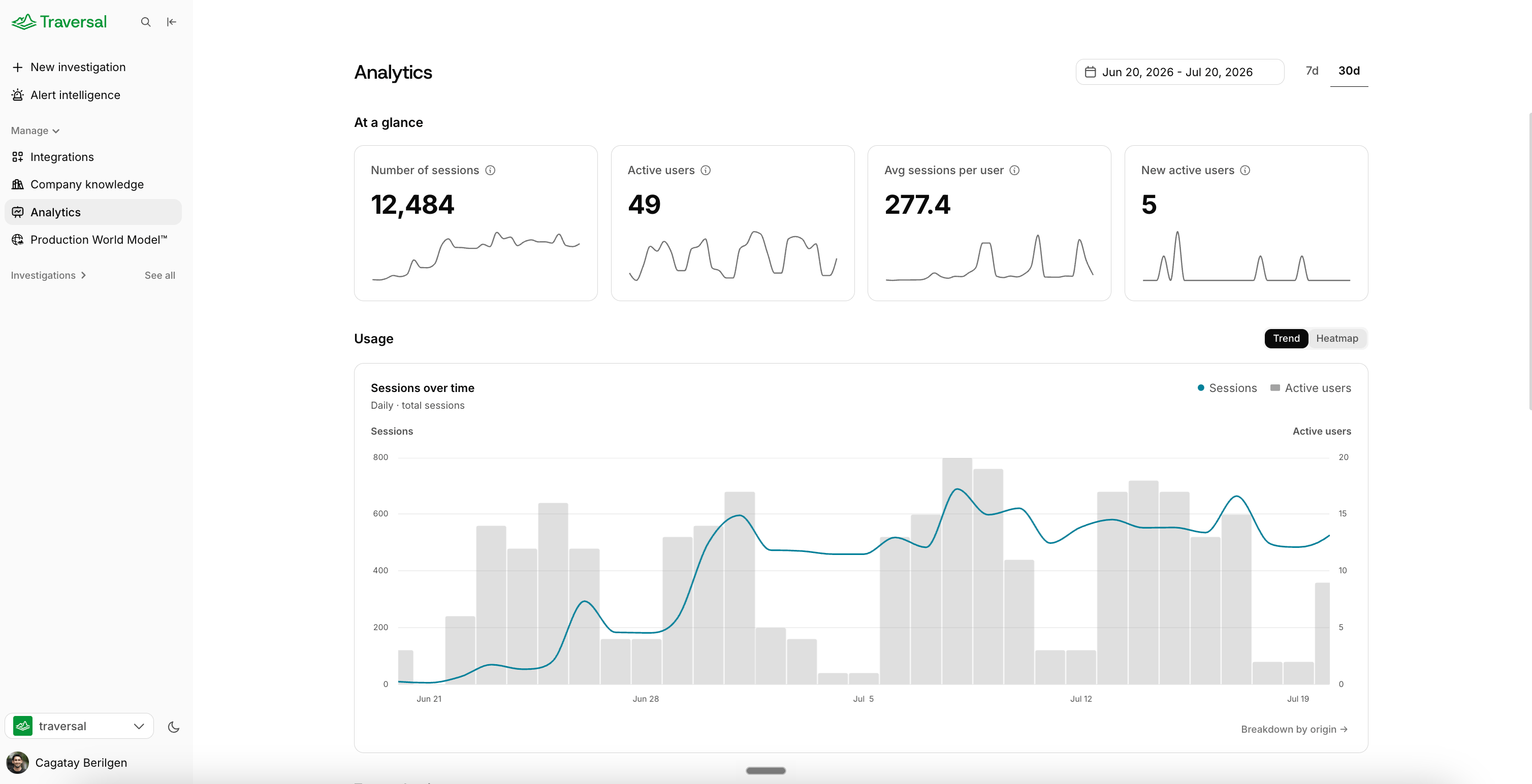
We've fully revamped the **Analytics** page, now available to Org Admins at
[app.traversal.com/analytics](https://app.traversal.com/analytics). It gives
you a clear picture of how Traversal is being adopted and used across your
organization, all in one place.
* **Usage over time** — sessions and active users, with period-over-period
comparison so you can track adoption week over week.
* **Who's using Traversal** — top users and top channels, a Top Investigators
panel, and an activity heatmap showing engagement across your team.
* **Session detail** — breakdowns by origin (Web, Slack, API, MCP) so you can
see where investigations are being started.
 ## Workers read live incident transcripts
When your team runs an incident on a live video call, a
[Worker](/using-traversal/workers) can now read the call's transcript in real
time and fold it into its work. It picks up what's said out loud but never
typed into Slack — the fix someone just tried, the theory forming on the call,
even how people are reacting to Traversal's own suggestions — and uses those
cues to adjust course and stay current with where the room actually is.
Live calls generate a lot of chatter, so under the hood Traversal distills the
transcript down to what matters — cleverly filtering the noise rather than
handing the Worker the raw feed — so it stays sharp and focused without
overloading its context.
Live transcripts are in private beta. Talk to your Traversal contact to
connect your team's calls.
## Jump to anything with ⌘K
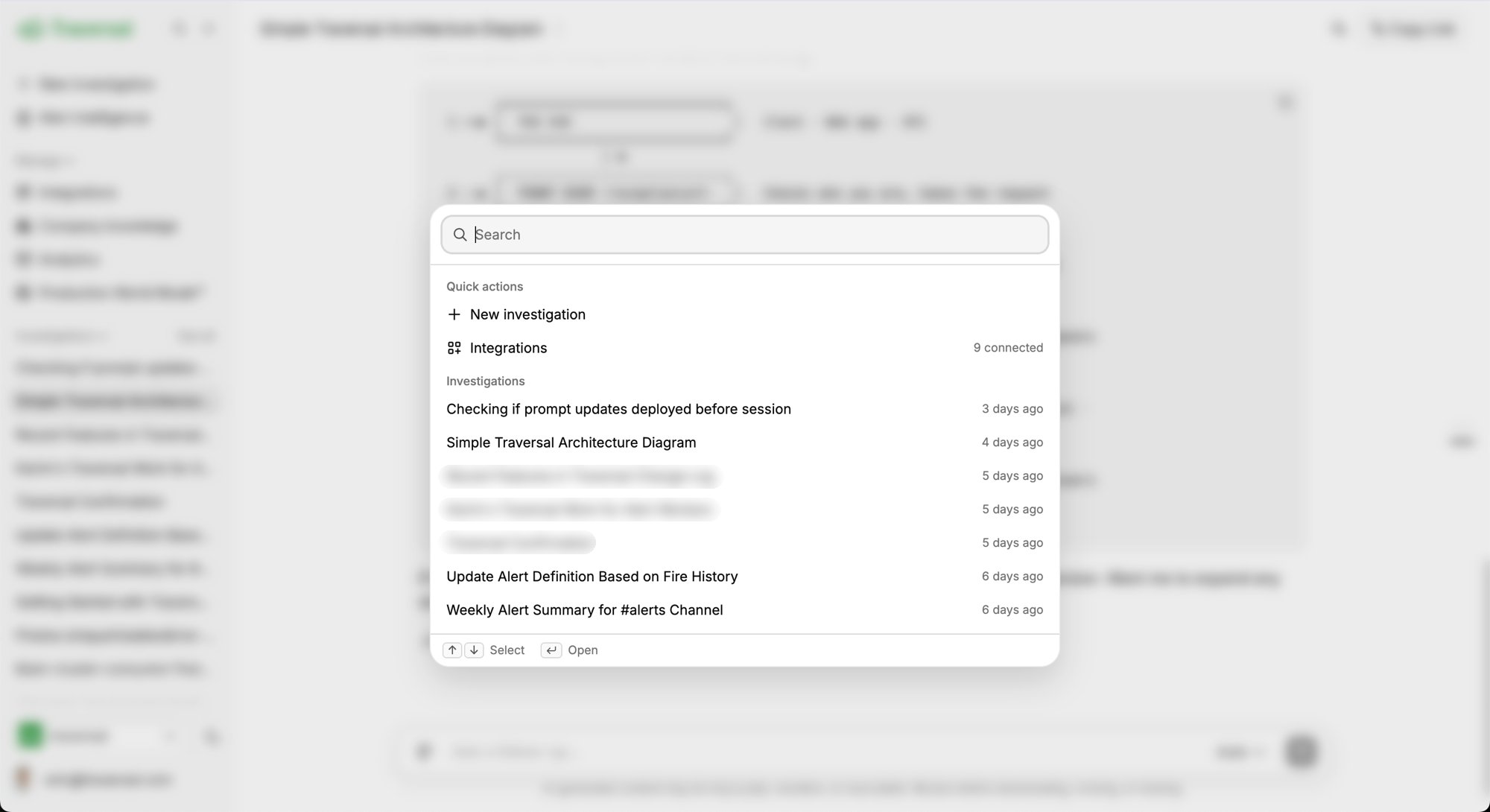
One for the power users: press **⌘K** anywhere in the web app to open a quick
search. Start a new investigation, jump to any past one by typing its name, or
open your integrations, all from the keyboard. Arrow keys move through the
list and **Enter** opens, so you never have to reach for the mouse.
## Workers read live incident transcripts
When your team runs an incident on a live video call, a
[Worker](/using-traversal/workers) can now read the call's transcript in real
time and fold it into its work. It picks up what's said out loud but never
typed into Slack — the fix someone just tried, the theory forming on the call,
even how people are reacting to Traversal's own suggestions — and uses those
cues to adjust course and stay current with where the room actually is.
Live calls generate a lot of chatter, so under the hood Traversal distills the
transcript down to what matters — cleverly filtering the noise rather than
handing the Worker the raw feed — so it stays sharp and focused without
overloading its context.
Live transcripts are in private beta. Talk to your Traversal contact to
connect your team's calls.
## Jump to anything with ⌘K
One for the power users: press **⌘K** anywhere in the web app to open a quick
search. Start a new investigation, jump to any past one by typing its name, or
open your integrations, all from the keyboard. Arrow keys move through the
list and **Enter** opens, so you never have to reach for the mouse.
 ## 24-hour time format
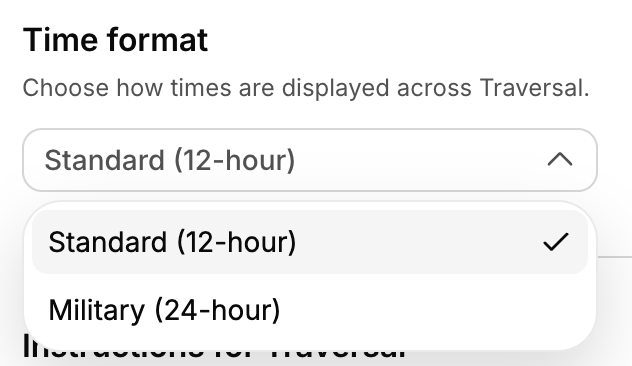
Prefer a 24-hour clock? A new **Time format** option in your
[personalization settings](https://app.traversal.com/settings/personalization)
switches Traversal from 12-hour AM/PM to 24-hour. It flows through the entire
app — evidence displays, investigation timelines, the times you type into an
investigation, everywhere a timestamp appears — so times read the way you
expect no matter where you are.
## 24-hour time format
Prefer a 24-hour clock? A new **Time format** option in your
[personalization settings](https://app.traversal.com/settings/personalization)
switches Traversal from 12-hour AM/PM to 24-hour. It flows through the entire
app — evidence displays, investigation timelines, the times you type into an
investigation, everywhere a timestamp appears — so times read the way you
expect no matter where you are.
 ## Single-tenant SaaS deployment
A new deployment option that sits between multi-tenant SaaS and full BYOC: a
dedicated, single-tenant Traversal instance running in an isolated,
Traversal-operated AWS account — its own domain, no infrastructure shared with
any other customer, SSO required, and data encrypted at rest (AES-256) and in
transit (TLS 1.3). You get hard tenant isolation without having to run and
maintain Traversal in your own cloud. See
[deployment options](/architecture/intro).
## Navigate long sessions
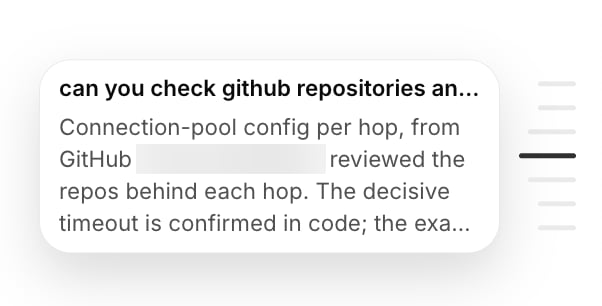
When you're deep in an investigation, it's natural to keep asking follow-ups —
and a session can grow into a long back-and-forth. A new navigator makes those
long sessions easy to move through by their question-and-answer pairs — jump
straight back to any exchange instead of scrolling, and hover to preview what's
there.
## Single-tenant SaaS deployment
A new deployment option that sits between multi-tenant SaaS and full BYOC: a
dedicated, single-tenant Traversal instance running in an isolated,
Traversal-operated AWS account — its own domain, no infrastructure shared with
any other customer, SSO required, and data encrypted at rest (AES-256) and in
transit (TLS 1.3). You get hard tenant isolation without having to run and
maintain Traversal in your own cloud. See
[deployment options](/architecture/intro).
## Navigate long sessions
When you're deep in an investigation, it's natural to keep asking follow-ups —
and a session can grow into a long back-and-forth. A new navigator makes those
long sessions easy to move through by their question-and-answer pairs — jump
straight back to any exchange instead of scrolling, and hover to preview what's
there.
 ## Traversal Workers
A new, more capable way to work with Traversal. Rather than waiting to be
summoned, a **Worker** joins a channel and works alongside your team like a
teammate — reading the situation, gathering context, and doing what's worth
doing on its own. During an incident, a Worker joins the moment the channel is
created, investigates autonomously, follows the incident in real time, and
drafts a post-mortem when it resolves.
Workers are in beta, enabled per team. [Read the docs](/using-traversal/workers)
or the [launch announcement](https://www.traversal.com/blog/ai-sre-proactive-incident-response-traversal-workers).
## Timezone preference
Set a personal timezone in your
[personalization settings](https://app.traversal.com/settings/personalization)
so every timestamp across Traversal shows in your local time instead of UTC —
no more mental math when reading an incident timeline.
## Connect your own MCP servers
Connect any external [MCP server](/integrations/mcp-servers) as a data source —
a great way to tailor Traversal to your stack with tools and systems we don't
support out of the box. Point it at an internal service or a third-party MCP
server and its tools become available to the agent during investigations.
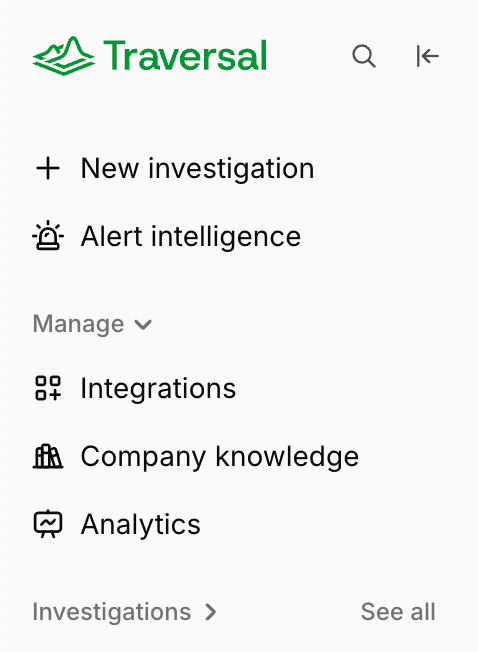
## New navigation rail
A redesigned left navigation rail makes it faster to move between your
sessions, integrations, and settings, with a cleaner layout that stays out of
your way.
## Traversal Workers
A new, more capable way to work with Traversal. Rather than waiting to be
summoned, a **Worker** joins a channel and works alongside your team like a
teammate — reading the situation, gathering context, and doing what's worth
doing on its own. During an incident, a Worker joins the moment the channel is
created, investigates autonomously, follows the incident in real time, and
drafts a post-mortem when it resolves.
Workers are in beta, enabled per team. [Read the docs](/using-traversal/workers)
or the [launch announcement](https://www.traversal.com/blog/ai-sre-proactive-incident-response-traversal-workers).
## Timezone preference
Set a personal timezone in your
[personalization settings](https://app.traversal.com/settings/personalization)
so every timestamp across Traversal shows in your local time instead of UTC —
no more mental math when reading an incident timeline.
## Connect your own MCP servers
Connect any external [MCP server](/integrations/mcp-servers) as a data source —
a great way to tailor Traversal to your stack with tools and systems we don't
support out of the box. Point it at an internal service or a third-party MCP
server and its tools become available to the agent during investigations.
## New navigation rail
A redesigned left navigation rail makes it faster to move between your
sessions, integrations, and settings, with a cleaner layout that stays out of
your way.
 ## Run MCP investigations in the background
Investigations over [MCP](/using-traversal/mcp) can now run in the background.
Your agent can kick one off and keep working instead of waiting on every call,
then collect the result once it's ready — and run several investigations at
once.
## Channel management
A new settings page to see every Slack channel Traversal is active in and
manage them in one place — turn on
[Alert Intelligence](/using-traversal/alert-intelligence) for a channel and set
its [custom instructions](/using-traversal/customization), so every
investigation in that channel follows the same guidance no matter who runs it.
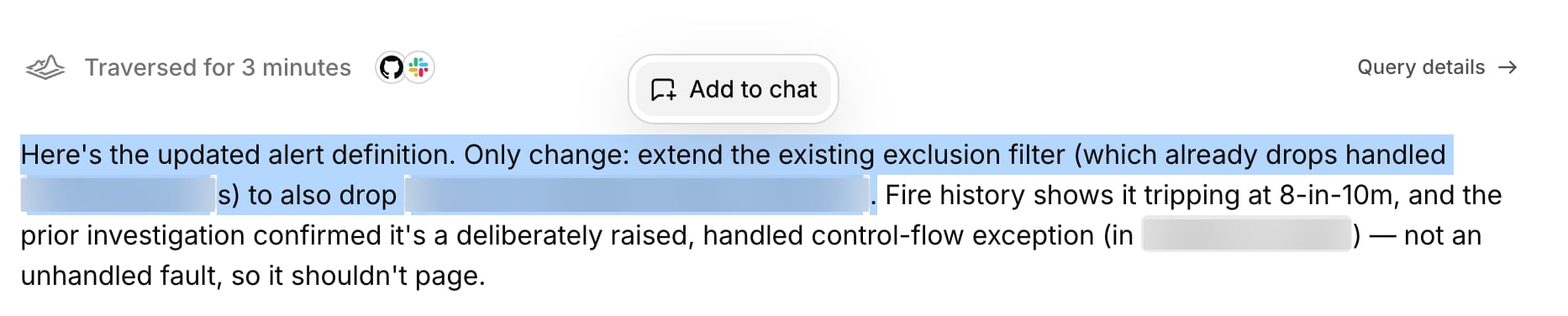
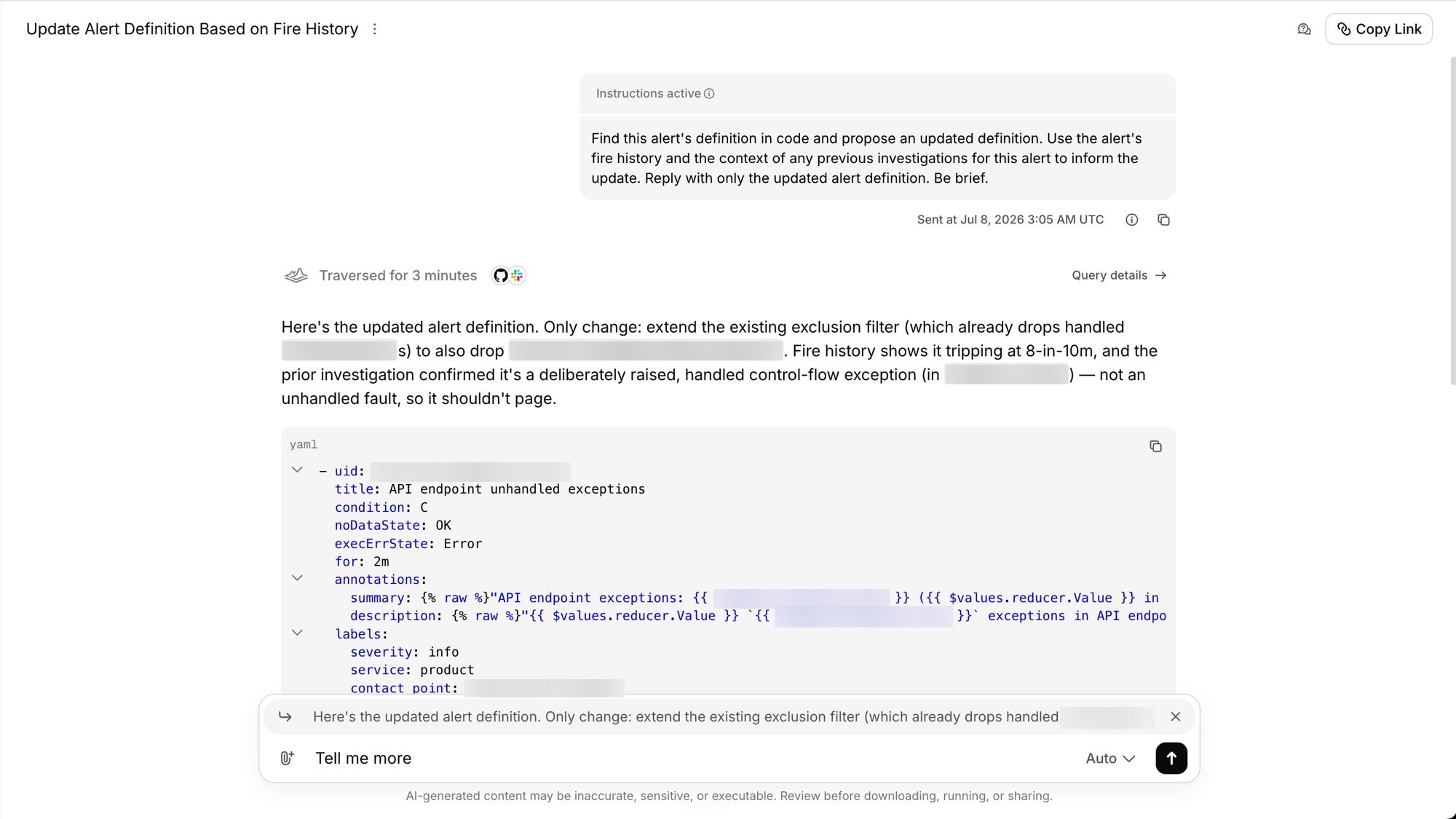
## Smoother follow-up quoting
Quoting part of a previous response in your follow-up is smoother — highlight
the text you want to reference, hit **Add to chat**, and it's attached to your
next message with the composer focused and ready, so it's clear exactly what
you're asking about.
## Run MCP investigations in the background
Investigations over [MCP](/using-traversal/mcp) can now run in the background.
Your agent can kick one off and keep working instead of waiting on every call,
then collect the result once it's ready — and run several investigations at
once.
## Channel management
A new settings page to see every Slack channel Traversal is active in and
manage them in one place — turn on
[Alert Intelligence](/using-traversal/alert-intelligence) for a channel and set
its [custom instructions](/using-traversal/customization), so every
investigation in that channel follows the same guidance no matter who runs it.
## Smoother follow-up quoting
Quoting part of a previous response in your follow-up is smoother — highlight
the text you want to reference, hit **Add to chat**, and it's attached to your
next message with the composer focused and ready, so it's clear exactly what
you're asking about.
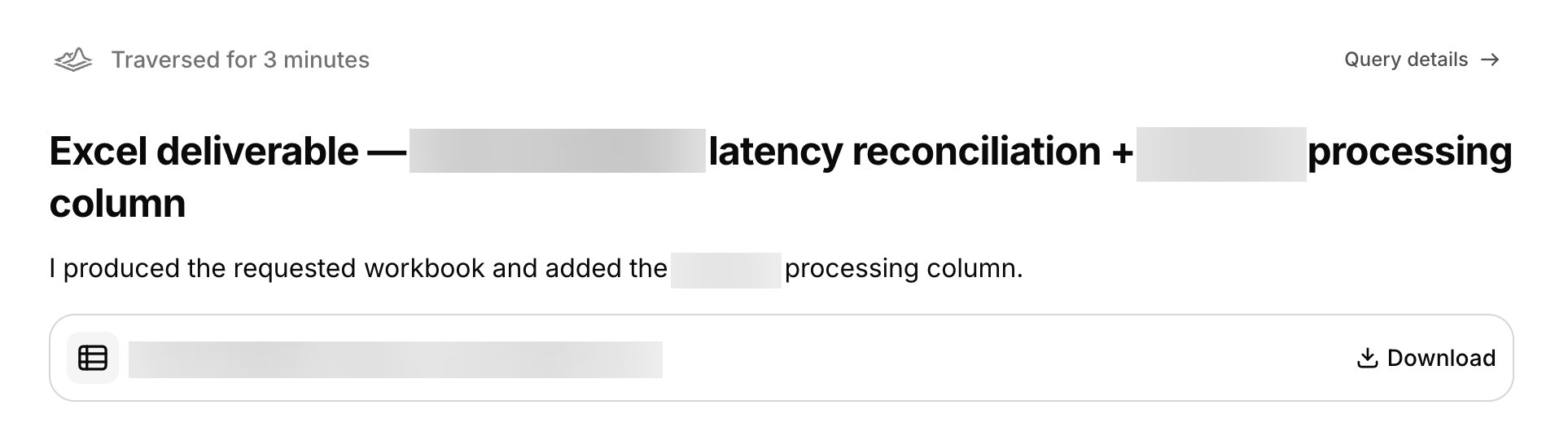
 ## Generate files to download
Traversal can now generate files you can download and share — reports, PDFs,
spreadsheets, and more. Ask for a deliverable and the agent produces it inline,
ready to download straight from the session.
## Generate files to download
Traversal can now generate files you can download and share — reports, PDFs,
spreadsheets, and more. Ask for a deliverable and the agent produces it inline,
ready to download straight from the session.
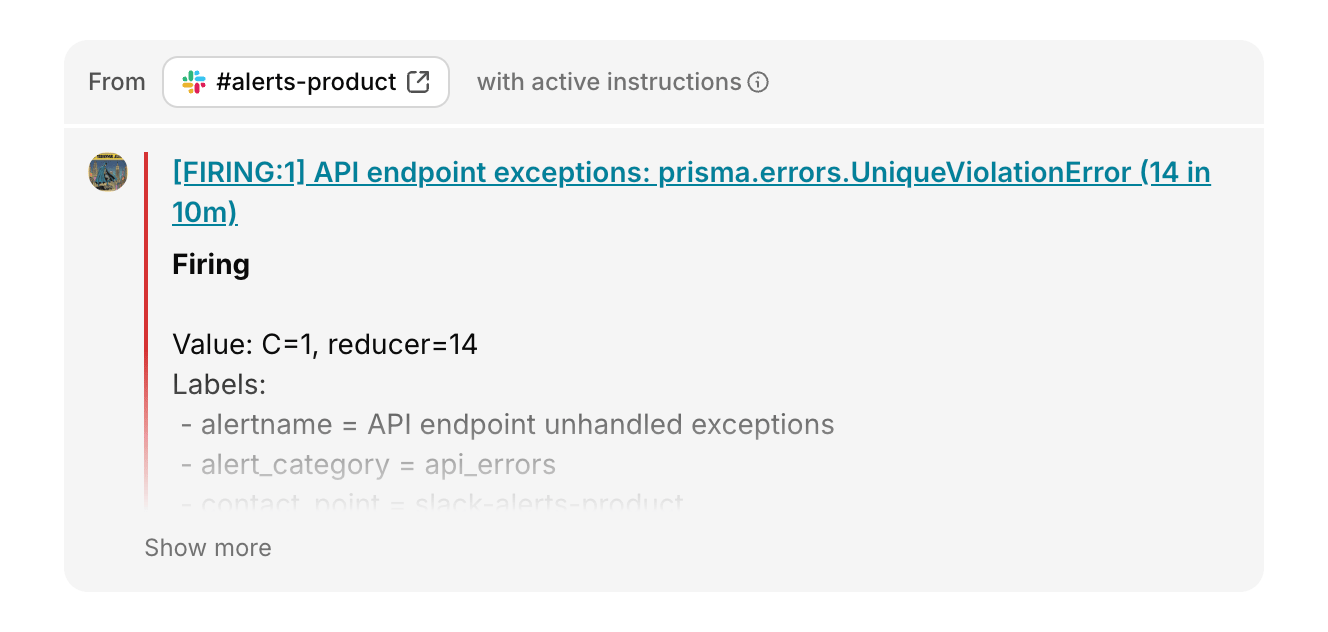
 ## Slack session visualization
Sessions that originate in Slack now render with a custom Slack visualization
in the web chat — showing who sent each message, which channel it came from,
and whether any custom instructions were applied. Because Slack channels are
multiplayer, knowing *who* said what matters — a shared incident channel has
many voices, and the visualization keeps them straight. Alerts are rendered
more cleanly too, so a Slack-triggered investigation reads clearly from the
web app.
## Slack session visualization
Sessions that originate in Slack now render with a custom Slack visualization
in the web chat — showing who sent each message, which channel it came from,
and whether any custom instructions were applied. Because Slack channels are
multiplayer, knowing *who* said what matters — a shared incident channel has
many voices, and the visualization keeps them straight. Alerts are rendered
more cleanly too, so a Slack-triggered investigation reads clearly from the
web app.
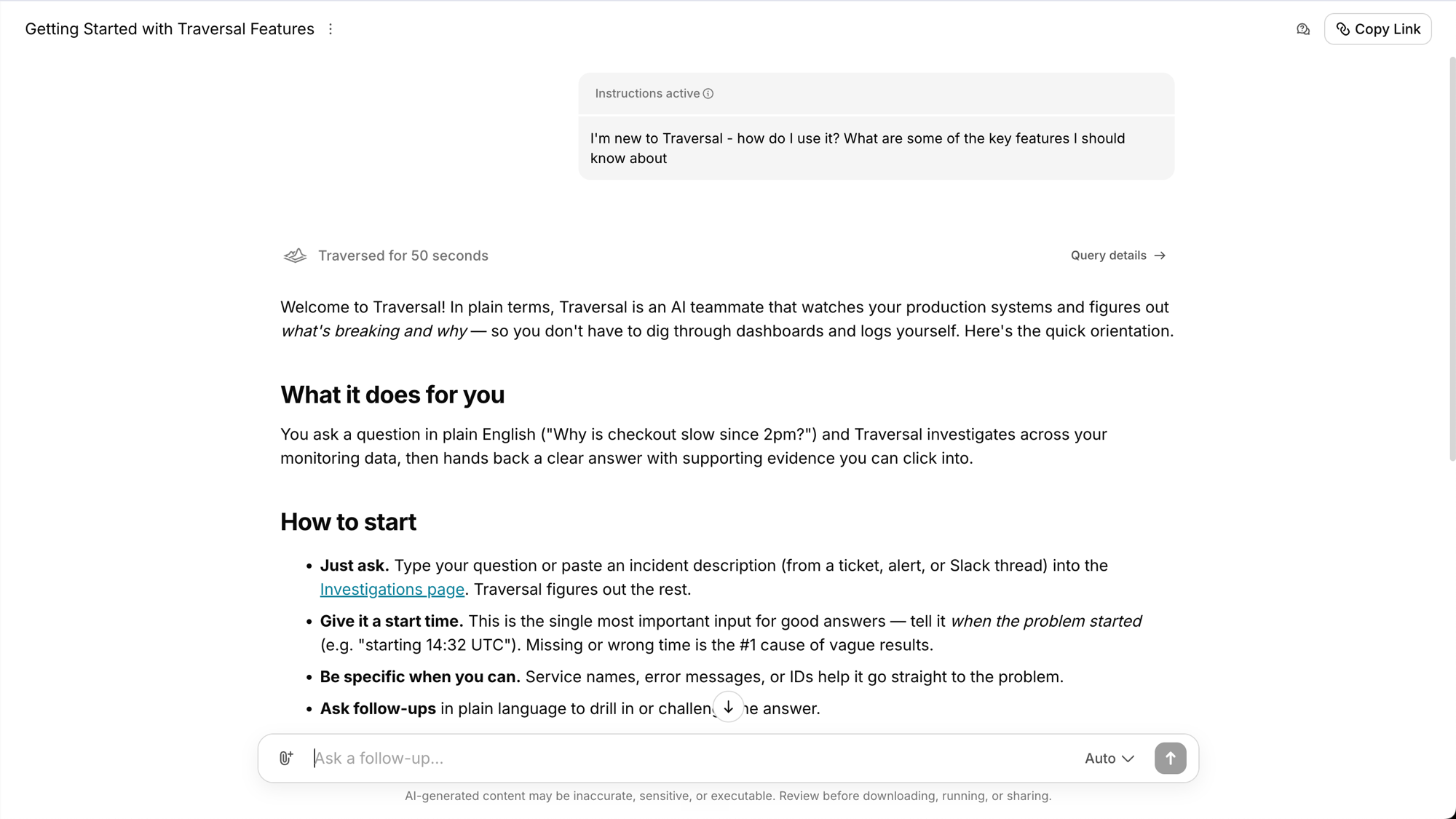
 ## Ask Traversal how it works
Traversal can now answer questions about its own documentation, so you can ask
how a feature works right where you're working. New users can even have
Traversal onboard them — walking through what it does and how to get the most
out of it.
## Ask Traversal how it works
Traversal can now answer questions about its own documentation, so you can ask
how a feature works right where you're working. New users can even have
Traversal onboard them — walking through what it does and how to get the most
out of it.
 ## Custom instructions
Give Traversal standing instructions so you don't have to re-type your
preferences every time — point it at specific runbooks, prescribe steps, or
set output preferences like "be brief" or "suggest an owning team." Two layers:
* **Personalization** — your own instructions, applied to every investigation
you run, in Slack and the web app.
* **Channel custom instructions** — instructions applied to every
investigation in a Slack channel, no matter who runs it. Admins can also
toggle [Alert Intelligence](/using-traversal/alert-intelligence) mode per
channel from the same console.
See [customization](/using-traversal/customization).
## Connect over MCP with or without a trailing slash
Connecting over [MCP](/using-traversal/mcp) is more forgiving — the endpoint
now works whether or not your client includes a trailing slash, so a small
config difference no longer blocks the connection.
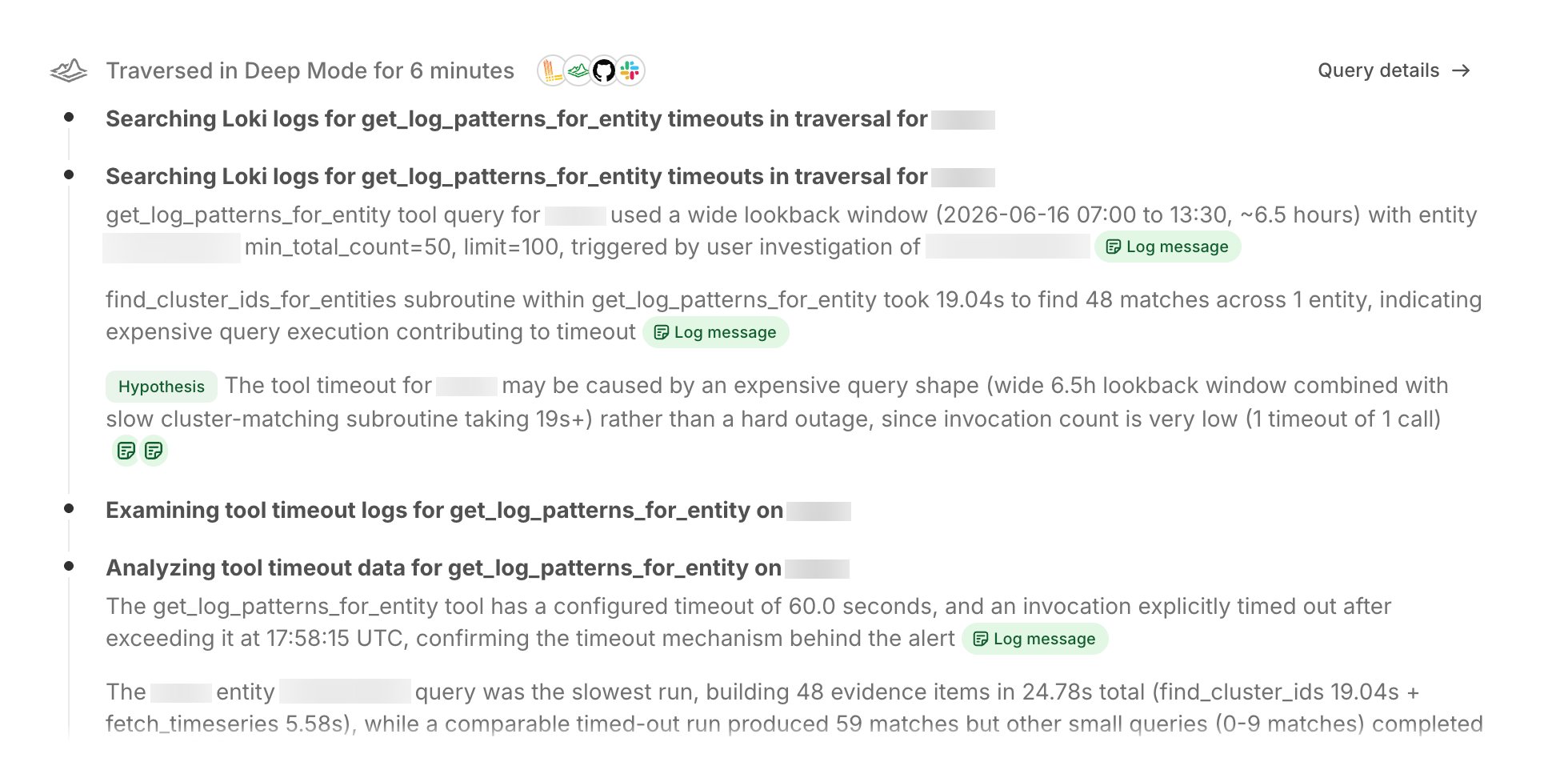
## Overhauled chain-of-thought
Traversal's "chain-of-thought" loading state has been redesigned to be more
legible and to better represent what the agent is actually doing as it
investigates — including a clearer view of which integrations it's using, and
when.
## Custom instructions
Give Traversal standing instructions so you don't have to re-type your
preferences every time — point it at specific runbooks, prescribe steps, or
set output preferences like "be brief" or "suggest an owning team." Two layers:
* **Personalization** — your own instructions, applied to every investigation
you run, in Slack and the web app.
* **Channel custom instructions** — instructions applied to every
investigation in a Slack channel, no matter who runs it. Admins can also
toggle [Alert Intelligence](/using-traversal/alert-intelligence) mode per
channel from the same console.
See [customization](/using-traversal/customization).
## Connect over MCP with or without a trailing slash
Connecting over [MCP](/using-traversal/mcp) is more forgiving — the endpoint
now works whether or not your client includes a trailing slash, so a small
config difference no longer blocks the connection.
## Overhauled chain-of-thought
Traversal's "chain-of-thought" loading state has been redesigned to be more
legible and to better represent what the agent is actually doing as it
investigates — including a clearer view of which integrations it's using, and
when.
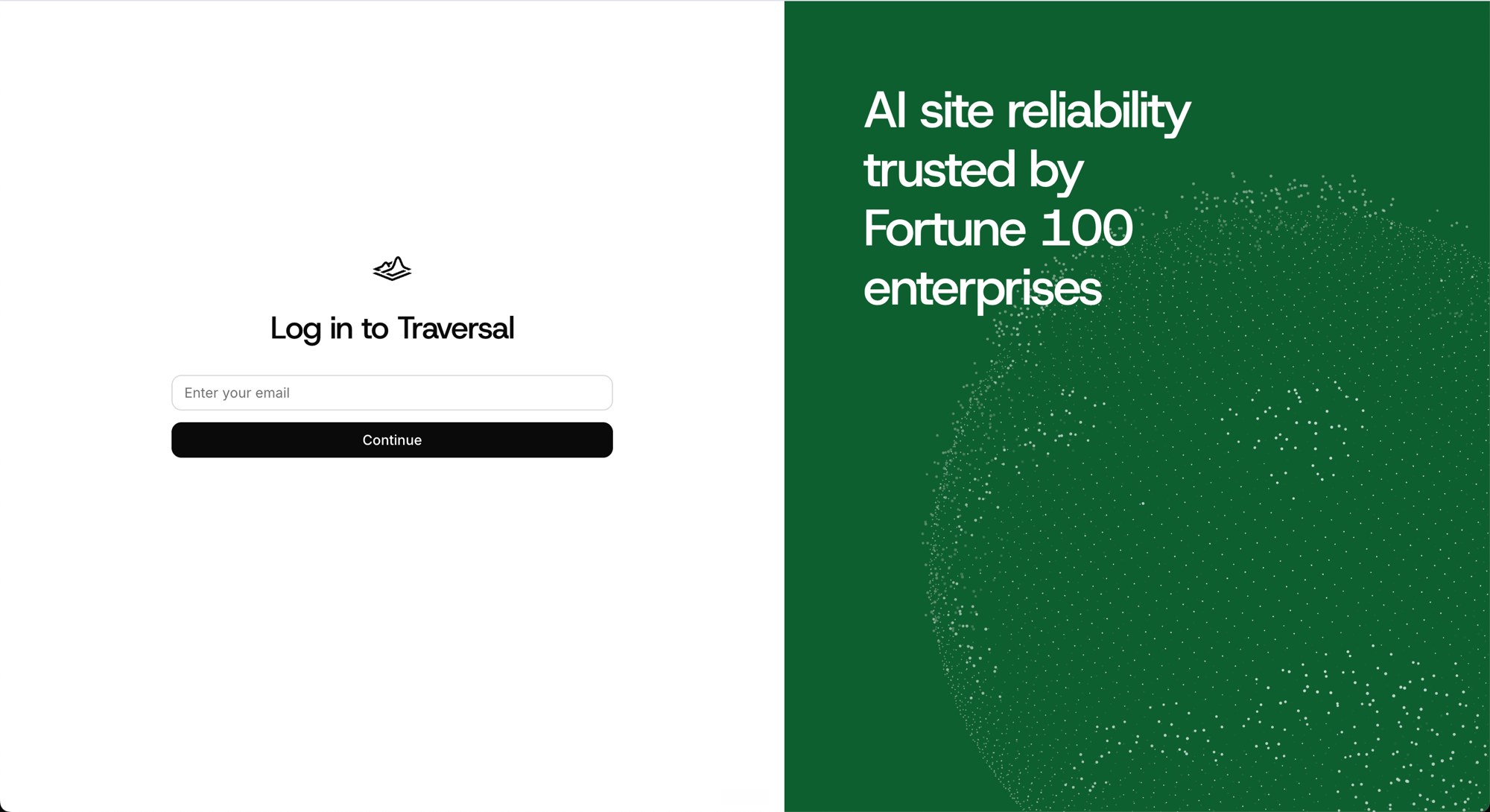
 ## Redesigned login page
Your first touchpoint with Traversal got a full refresh — rebuilt on the new
design system for a cleaner, more modern first impression, consistent with the
rest of the product.
## Redesigned login page
Your first touchpoint with Traversal got a full refresh — rebuilt on the new
design system for a cleaner, more modern first impression, consistent with the
rest of the product.
 ## A new design system
We've rolled out a new design system across every page of the product — a more
open, modern feel with lighter borders and larger corner radii. We also
refined the color palette and sharpened legibility throughout, including a
polished dark mode. It's especially noticeable on the home page and the
session view, and in how we render code snippets.
## Lightning mode
A fast investigation path built for the rapid back-and-forth of agent-to-agent
work over [MCP](/using-traversal/mcp). A first pass typically returns in 30
seconds to two minutes — fast enough for a real conversation between your agent
and Traversal rather than a single slow round trip. You can always follow up to
go deeper.
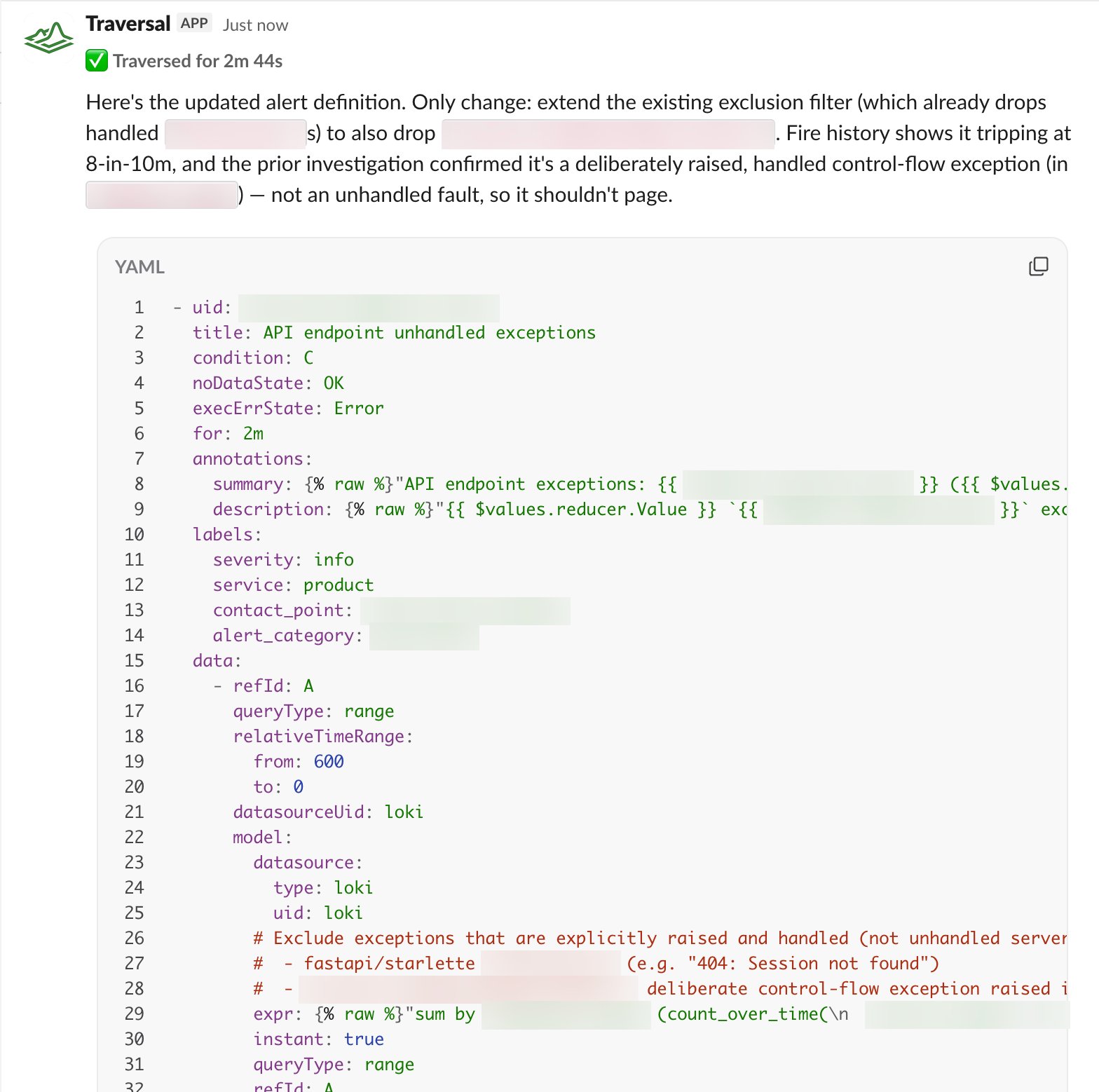
## Tune the definitions of noisy alerts
When [Alert Intelligence](/using-traversal/alert-intelligence) flags an alert
as noise, its response now includes a **Tune Alert Definition** button. Click
it and Traversal drafts an updated alert definition — the specific change that
stops the alert from firing on non-issues — ready for you to review and apply.
## A new design system
We've rolled out a new design system across every page of the product — a more
open, modern feel with lighter borders and larger corner radii. We also
refined the color palette and sharpened legibility throughout, including a
polished dark mode. It's especially noticeable on the home page and the
session view, and in how we render code snippets.
## Lightning mode
A fast investigation path built for the rapid back-and-forth of agent-to-agent
work over [MCP](/using-traversal/mcp). A first pass typically returns in 30
seconds to two minutes — fast enough for a real conversation between your agent
and Traversal rather than a single slow round trip. You can always follow up to
go deeper.
## Tune the definitions of noisy alerts
When [Alert Intelligence](/using-traversal/alert-intelligence) flags an alert
as noise, its response now includes a **Tune Alert Definition** button. Click
it and Traversal drafts an updated alert definition — the specific change that
stops the alert from firing on non-issues — ready for you to review and apply.
 ## PrivateLink connectivity
Connect your environment to Traversal over AWS PrivateLink so traffic between
your network and your Traversal deployment stays on the AWS backbone and never
crosses the public internet. Paired with the outbound-only Connector, it gives
you a fully private data path — no public endpoints, nothing exposed. See
[PrivateLink](/setup/privatelink).
## Traversal Connector
A lightweight, outbound-only service you deploy in your environment that lets
Traversal securely reach your private data sources — databases, internal APIs,
and on-prem observability — without any inbound access. It opens a single
encrypted, outbound tunnel, so there are no inbound firewall rules to manage
and nothing in your network is exposed or listening for external traffic. It
runs entirely in your environment, under your operational control. See the
[Traversal Connector](/architecture/connector).
## Redaction with the Processor
The Traversal [Processor](/setup/processor) runs alongside the Connector in
your environment and [redacts](/setup/redaction) sensitive data — PII, secrets,
customer identifiers, or any fields you define — before it ever leaves your
network. You own the rules (regex patterns and structured JSON keys), so
Traversal only ever receives what you've explicitly allowed, and sensitive
values never reach our control plane.
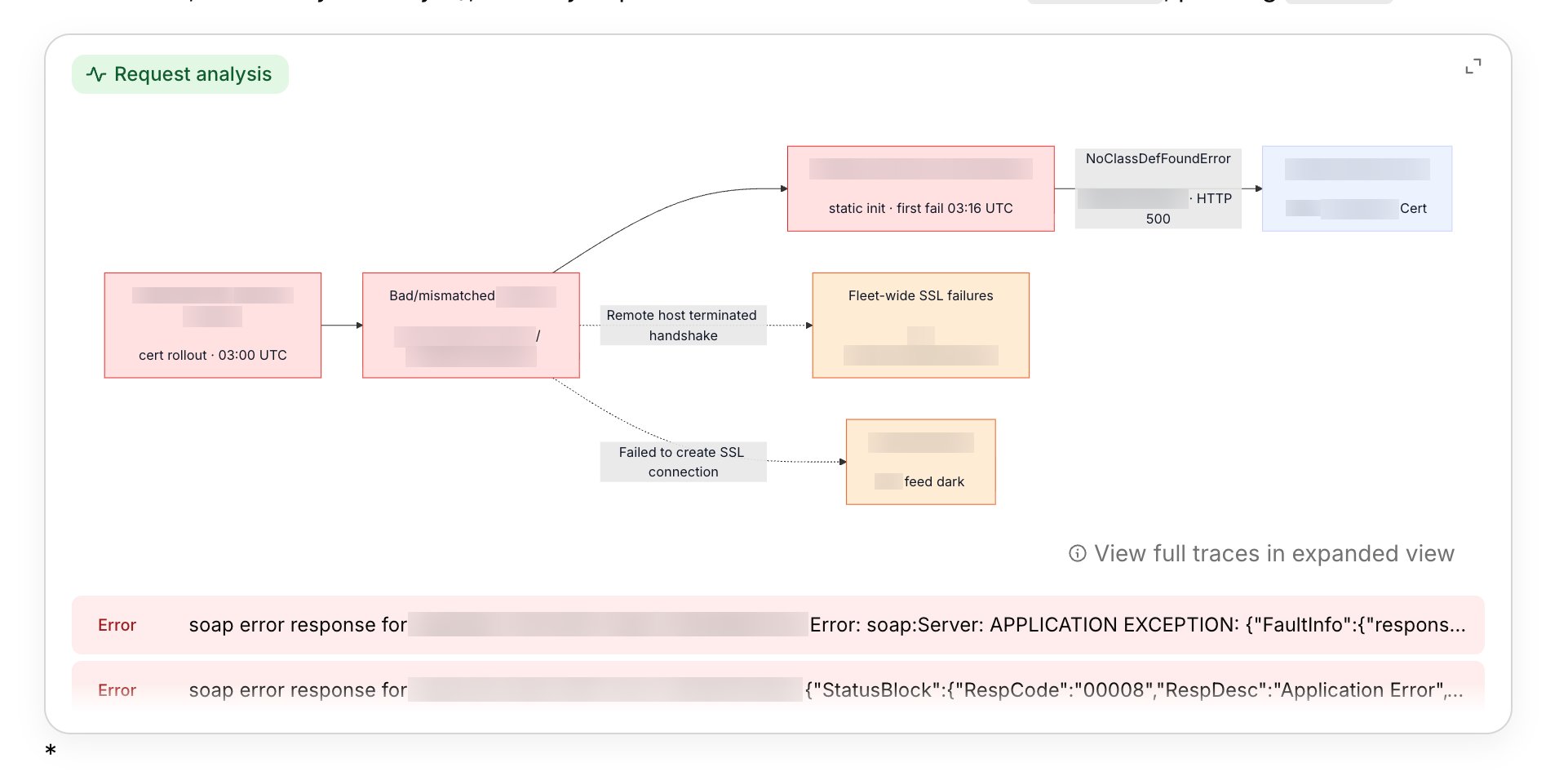
## Request analysis
When an investigation traces a request across services, Traversal now renders
an inline **request-analysis** component right in its answer — a visual diagram
of the request's path across services, where it broke, and the errors behind
each hop, alongside the key logs. Because it can pull from many log indices at
once, you can see exactly where in a request an issue arose — the failing hop,
the service, and the error in context.
## PrivateLink connectivity
Connect your environment to Traversal over AWS PrivateLink so traffic between
your network and your Traversal deployment stays on the AWS backbone and never
crosses the public internet. Paired with the outbound-only Connector, it gives
you a fully private data path — no public endpoints, nothing exposed. See
[PrivateLink](/setup/privatelink).
## Traversal Connector
A lightweight, outbound-only service you deploy in your environment that lets
Traversal securely reach your private data sources — databases, internal APIs,
and on-prem observability — without any inbound access. It opens a single
encrypted, outbound tunnel, so there are no inbound firewall rules to manage
and nothing in your network is exposed or listening for external traffic. It
runs entirely in your environment, under your operational control. See the
[Traversal Connector](/architecture/connector).
## Redaction with the Processor
The Traversal [Processor](/setup/processor) runs alongside the Connector in
your environment and [redacts](/setup/redaction) sensitive data — PII, secrets,
customer identifiers, or any fields you define — before it ever leaves your
network. You own the rules (regex patterns and structured JSON keys), so
Traversal only ever receives what you've explicitly allowed, and sensitive
values never reach our control plane.
## Request analysis
When an investigation traces a request across services, Traversal now renders
an inline **request-analysis** component right in its answer — a visual diagram
of the request's path across services, where it broke, and the errors behind
each hop, alongside the key logs. Because it can pull from many log indices at
once, you can see exactly where in a request an issue arose — the failing hop,
the service, and the error in context.
 ## Personal API keys
Create and manage your own API keys from settings to authenticate with the
[Traversal API](/api/overview) and the [MCP server](/using-traversal/mcp).
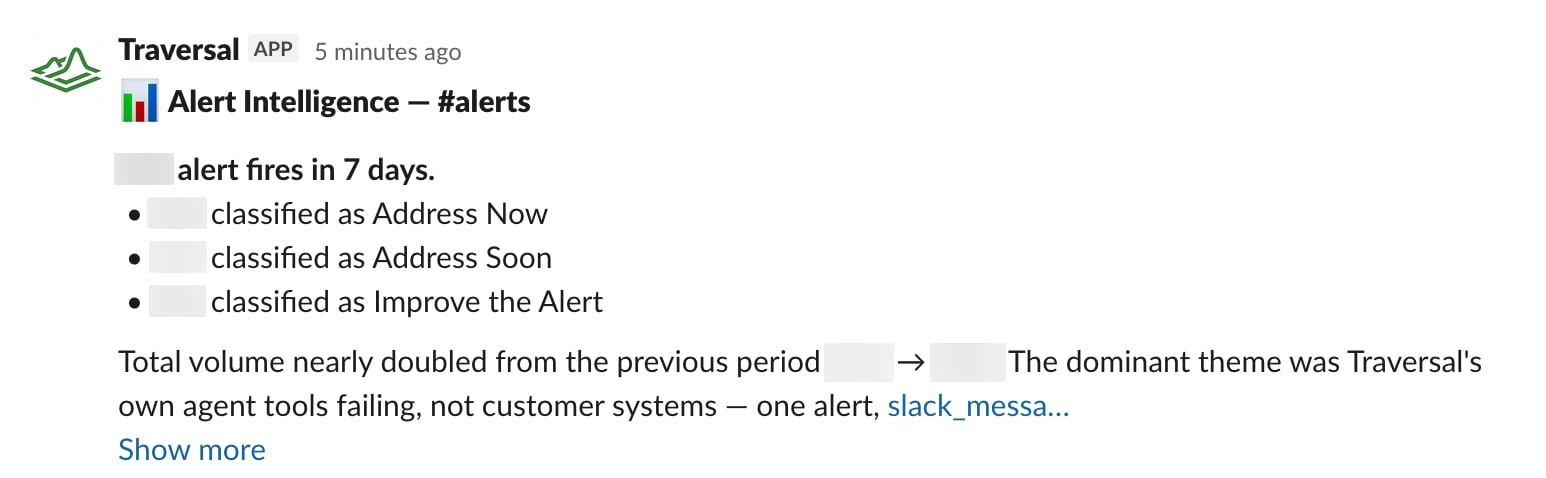
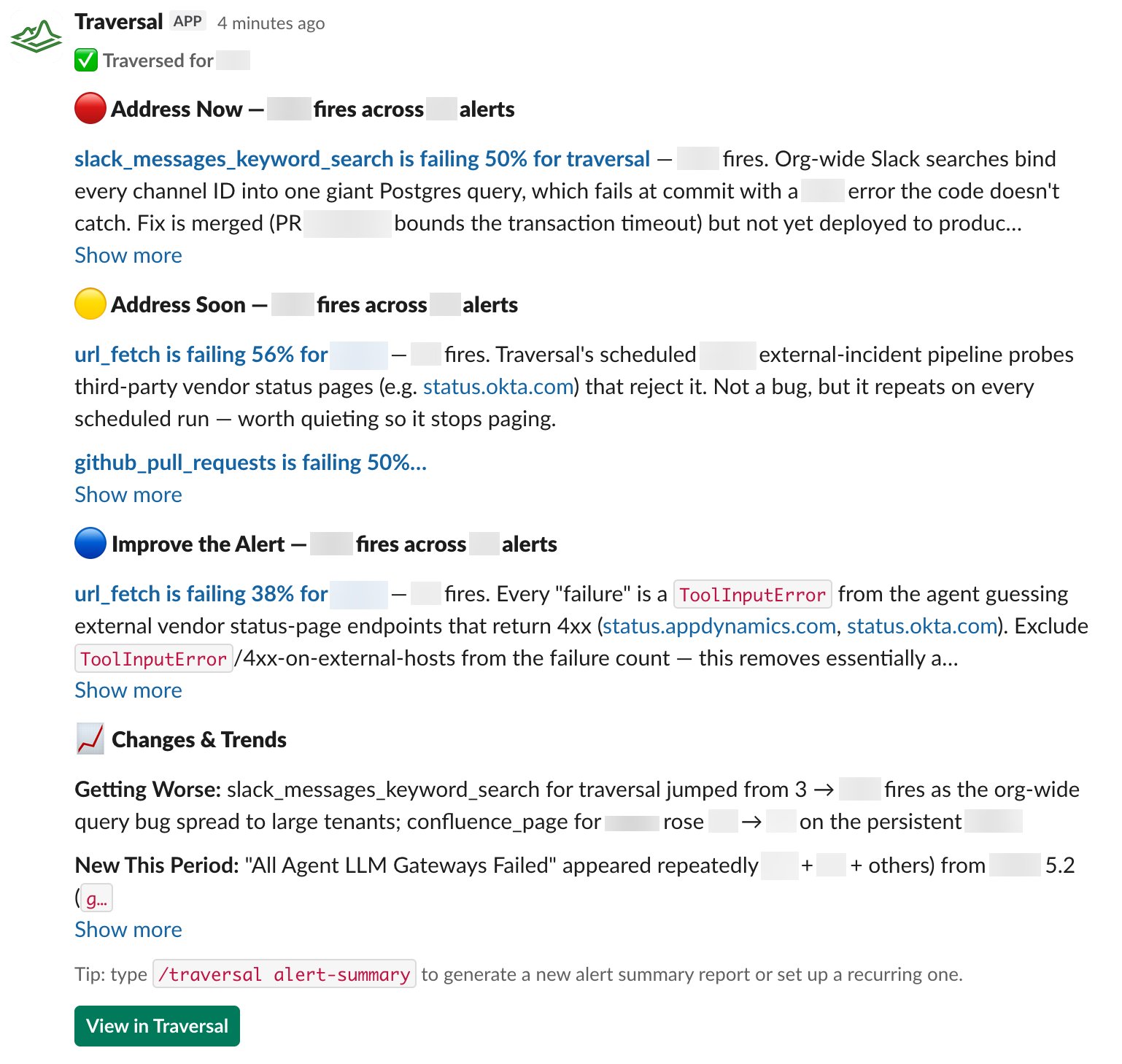
## Alert summary reports
Run `/traversal alert-summary` in any alert channel to generate an insights
report over a time period you choose — a digest of what fired, how often, and
what's worth attention — so you can spot noisy monitors and recurring issues at
a glance.
## Personal API keys
Create and manage your own API keys from settings to authenticate with the
[Traversal API](/api/overview) and the [MCP server](/using-traversal/mcp).
## Alert summary reports
Run `/traversal alert-summary` in any alert channel to generate an insights
report over a time period you choose — a digest of what fired, how often, and
what's worth attention — so you can spot noisy monitors and recurring issues at
a glance.
 ## Alert Intelligence
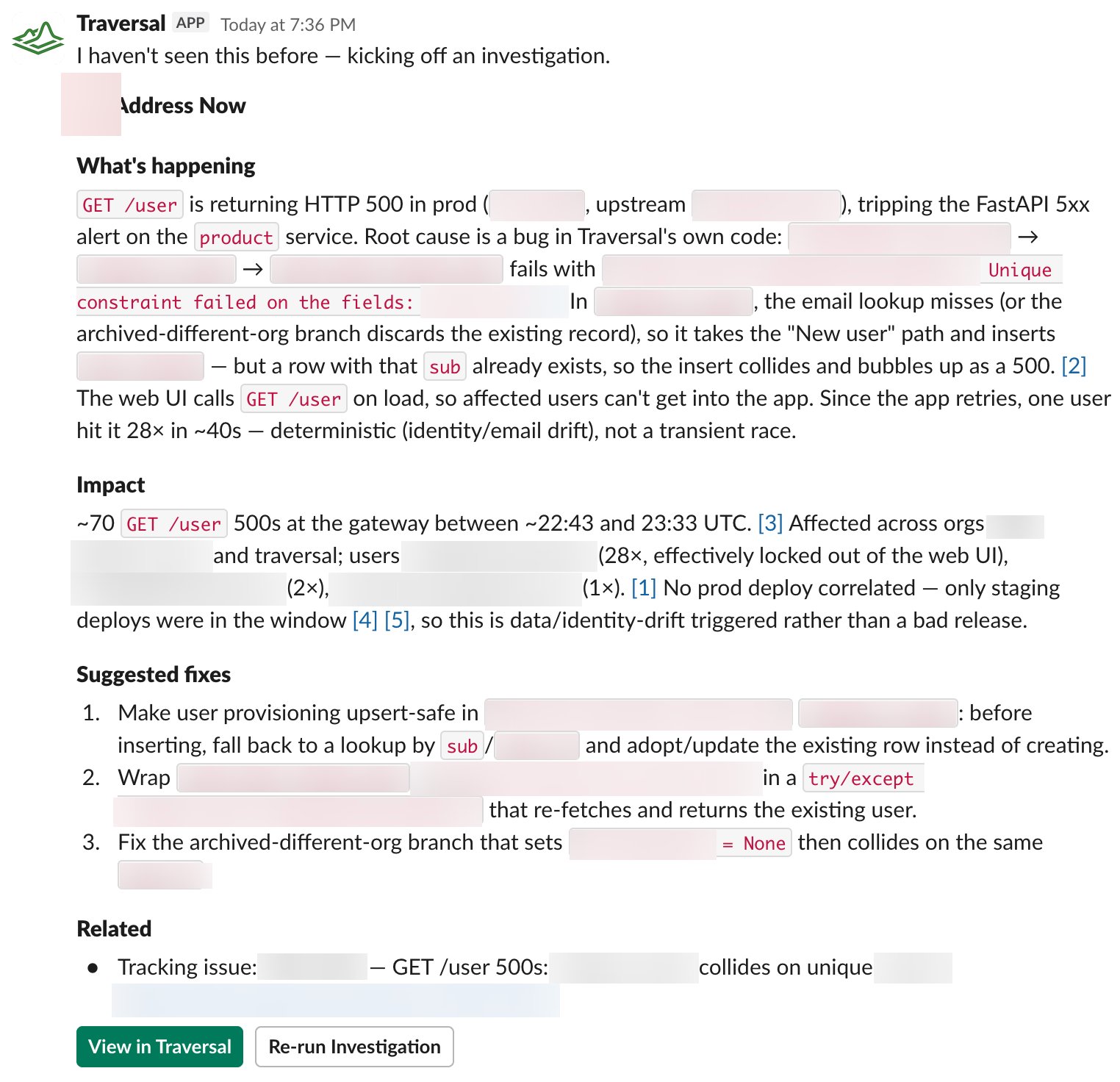
Traversal now replies to **every** alert in the Slack channels it watches with
an assessment — how urgent it is and why, and, for alerts that are just noise,
how to tune them. You never have to tag anything.
## Alert Intelligence
Traversal now replies to **every** alert in the Slack channels it watches with
an assessment — how urgent it is and why, and, for alerts that are just noise,
how to tune them. You never have to tag anything.
 It's also efficient. Alert channels are noisy, and the same underlying issue
often trips many alerts at once. Rather than re-investigate each one from
scratch, Traversal recognizes when a new alert shares a root cause with one it
already looked into and reuses that finding — caching the response instead of
spending tokens re-deriving the same conclusion. See
[Alert Intelligence](/using-traversal/alert-intelligence).
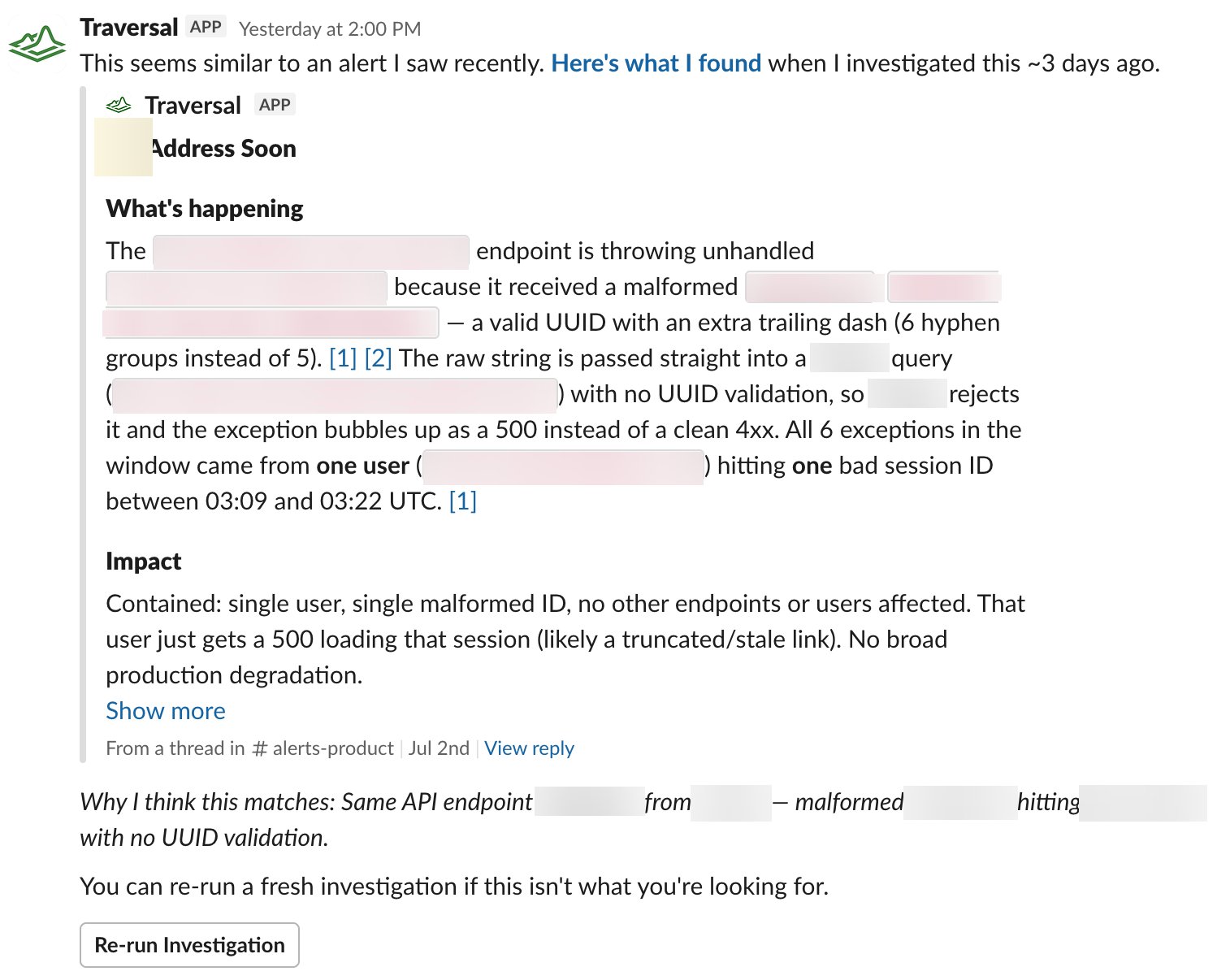
It's also efficient. Alert channels are noisy, and the same underlying issue
often trips many alerts at once. Rather than re-investigate each one from
scratch, Traversal recognizes when a new alert shares a root cause with one it
already looked into and reuses that finding — caching the response instead of
spending tokens re-deriving the same conclusion. See
[Alert Intelligence](/using-traversal/alert-intelligence).
 ## Programmatic investigations (Sessions API)
Kick off investigations, ask follow-ups, and pull results entirely over HTTP
with a self-service API key — the same capabilities you get in the app, now
available to your own scripts, runbooks, and internal tools. See the
[API reference](/api/overview).
## Easier integration setup
Connecting a data source is more self-serve: every integration shows a live
connection-health badge, credentials are verified the moment you connect (and
rolled back if they fail), and you can test a query against a connected
integration right from settings.
## Programmatic investigations (Sessions API)
Kick off investigations, ask follow-ups, and pull results entirely over HTTP
with a self-service API key — the same capabilities you get in the app, now
available to your own scripts, runbooks, and internal tools. See the
[API reference](/api/overview).
## Easier integration setup
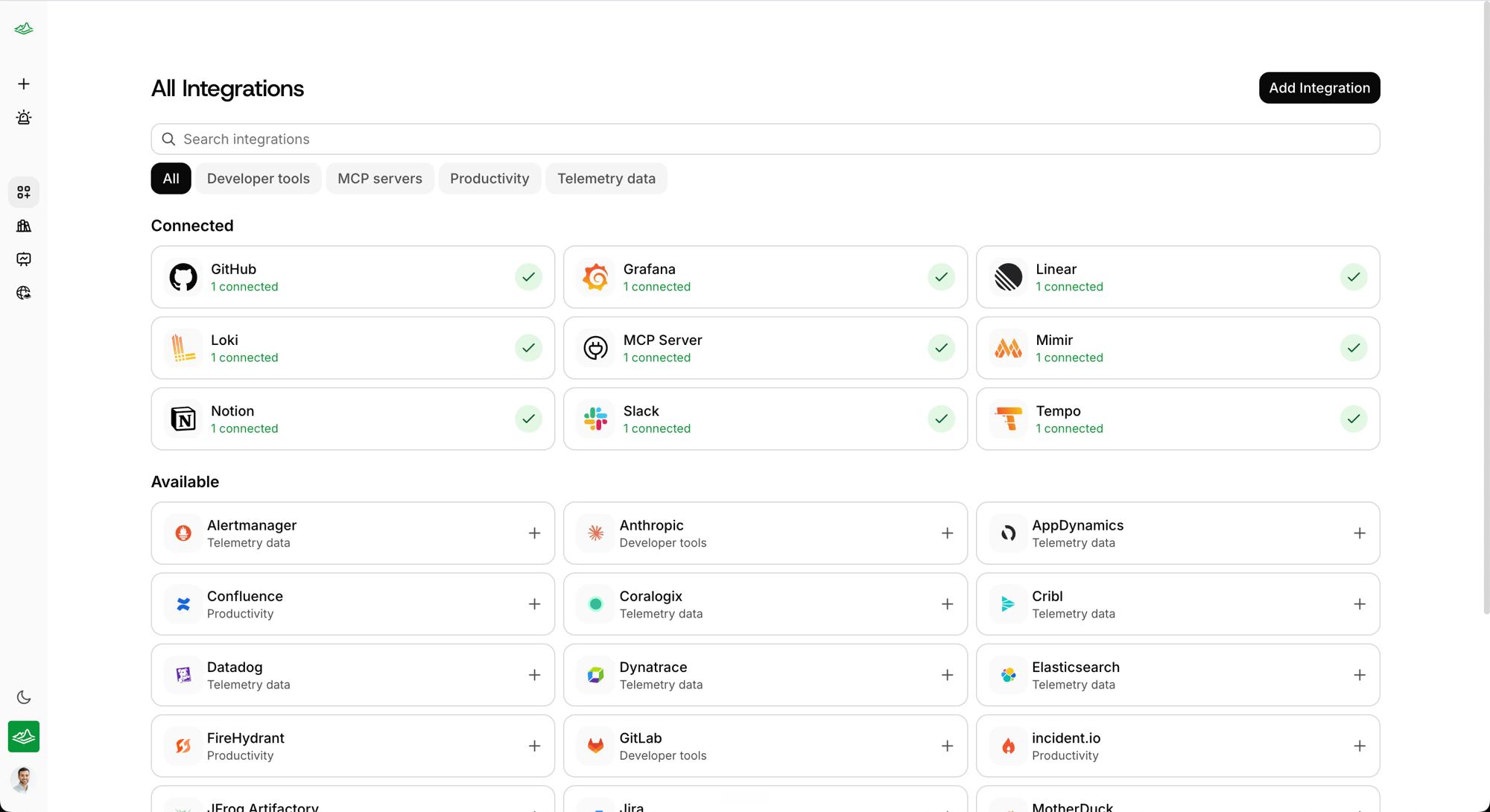
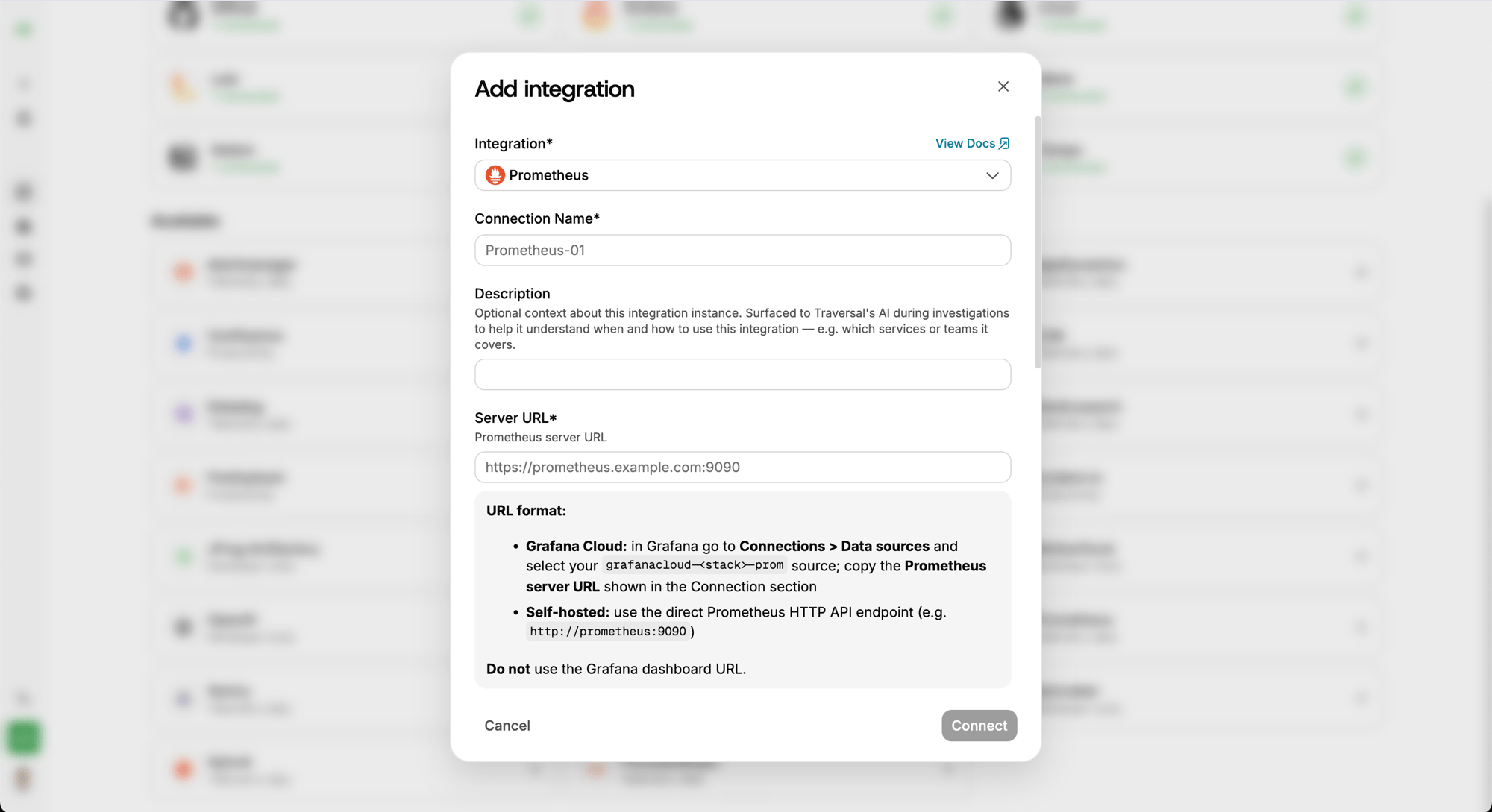
Connecting a data source is more self-serve: every integration shows a live
connection-health badge, credentials are verified the moment you connect (and
rolled back if they fail), and you can test a query against a connected
integration right from settings.
 ## Work with Traversal from your AI client (MCP)
The [Traversal MCP server](/using-traversal/mcp) lets any compatible AI client
— Claude Code, Cursor, Claude Desktop, and others — run investigations, ask
follow-ups, and retrieve results. When called from another agent, Traversal
acts as a **peer your local agent works alongside**, handing work back and
forth until the incident is understood.
## Post-mortems
Traversal produces a first-draft post-mortem so your team can skip the assembly
work — reconstructing the timeline, writing up what happened, drafting
follow-ups — and focus on the fixes. Generate one on demand by tagging
Traversal. See [post-mortems](/using-traversal/post-mortems).
## Knowledge Bank
Teach Traversal the operational context that lives only in your team's heads —
which services are business-critical, which alerts are usually noise, how your
team actually debugs an issue. See [Knowledge Bank](/using-traversal/knowledge-bank).
## Work with Traversal from your AI client (MCP)
The [Traversal MCP server](/using-traversal/mcp) lets any compatible AI client
— Claude Code, Cursor, Claude Desktop, and others — run investigations, ask
follow-ups, and retrieve results. When called from another agent, Traversal
acts as a **peer your local agent works alongside**, handing work back and
forth until the incident is understood.
## Post-mortems
Traversal produces a first-draft post-mortem so your team can skip the assembly
work — reconstructing the timeline, writing up what happened, drafting
follow-ups — and focus on the fixes. Generate one on demand by tagging
Traversal. See [post-mortems](/using-traversal/post-mortems).
## Knowledge Bank
Teach Traversal the operational context that lives only in your team's heads —
which services are business-critical, which alerts are usually noise, how your
team actually debugs an issue. See [Knowledge Bank](/using-traversal/knowledge-bank).