
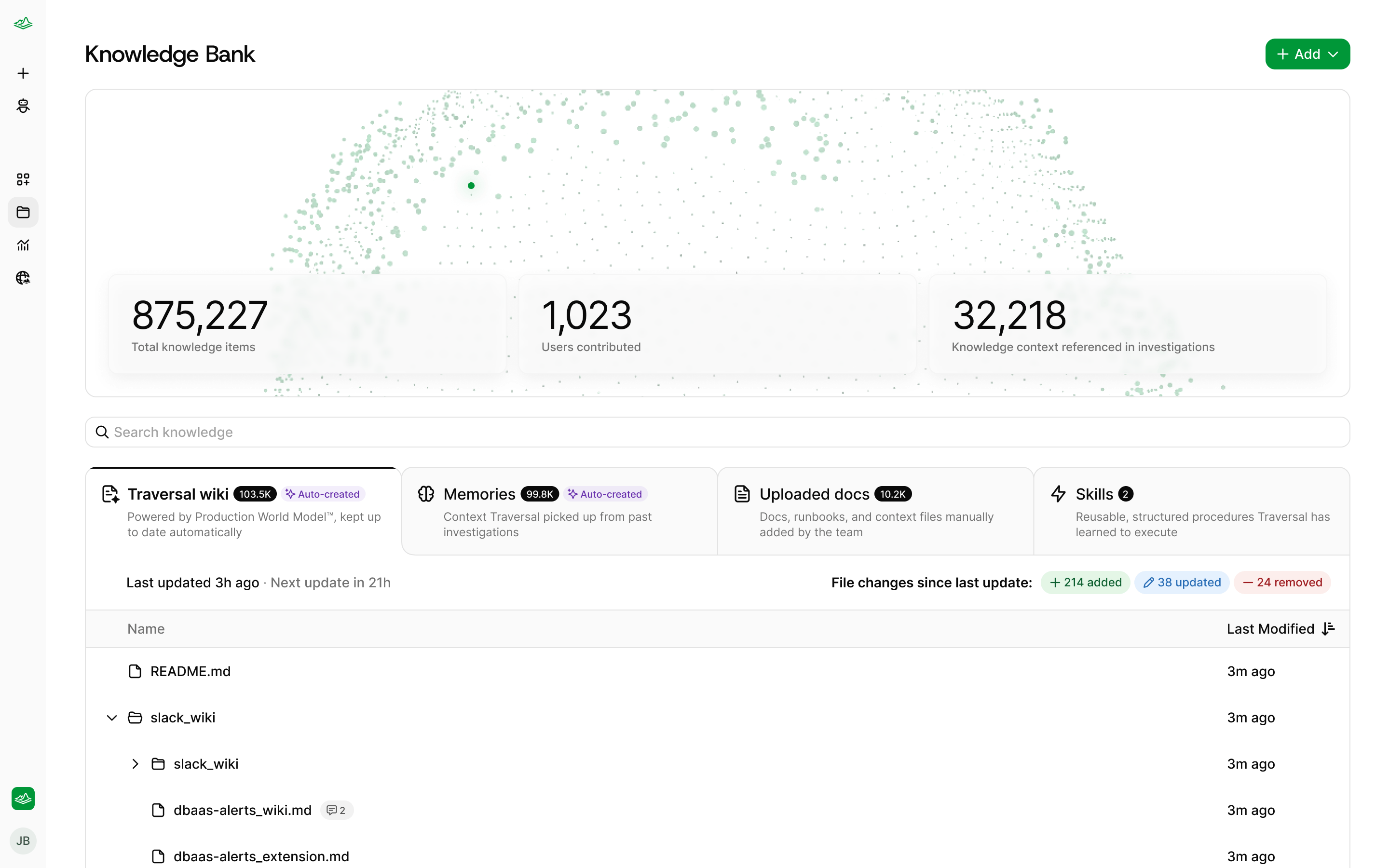
Knowledge Bank opens on the Traversal Wiki, with Memories, Uploaded docs, and Skills a tab away.
Traversal learns your systems on its own
You do not have to write anything for Traversal to work. From the moment your integrations are connected, Traversal reads them and writes itself the Traversal Wiki, assembled from the same sources it uses during an investigation:- Code — your repositories in GitHub or GitLab, including how services are wired together and what they actually log
- Metrics — Prometheus, Mimir, Datadog, Dynatrace, AppDynamics, VictoriaMetrics
- Logs and traces — OpenSearch, Elasticsearch, Splunk, Loki, Honeycomb
- Alerts and incidents — Alertmanager, Datadog monitors, incident.io
- Documentation and tickets — Confluence, Notion, Jira, ServiceNow
What’s in Knowledge Bank
The Traversal Wiki: what it figured out on its own
Knowledge Bank opens on the Traversal Wiki: Traversal’s own working documentation of your environment, organized by service and written entirely from the evidence in your connected systems. A page might cover what a service does and who owns it, how it’s put together, what it talks to, what it logs, or how it has broken before — the shape keeps evolving as Traversal gets better at describing your stack.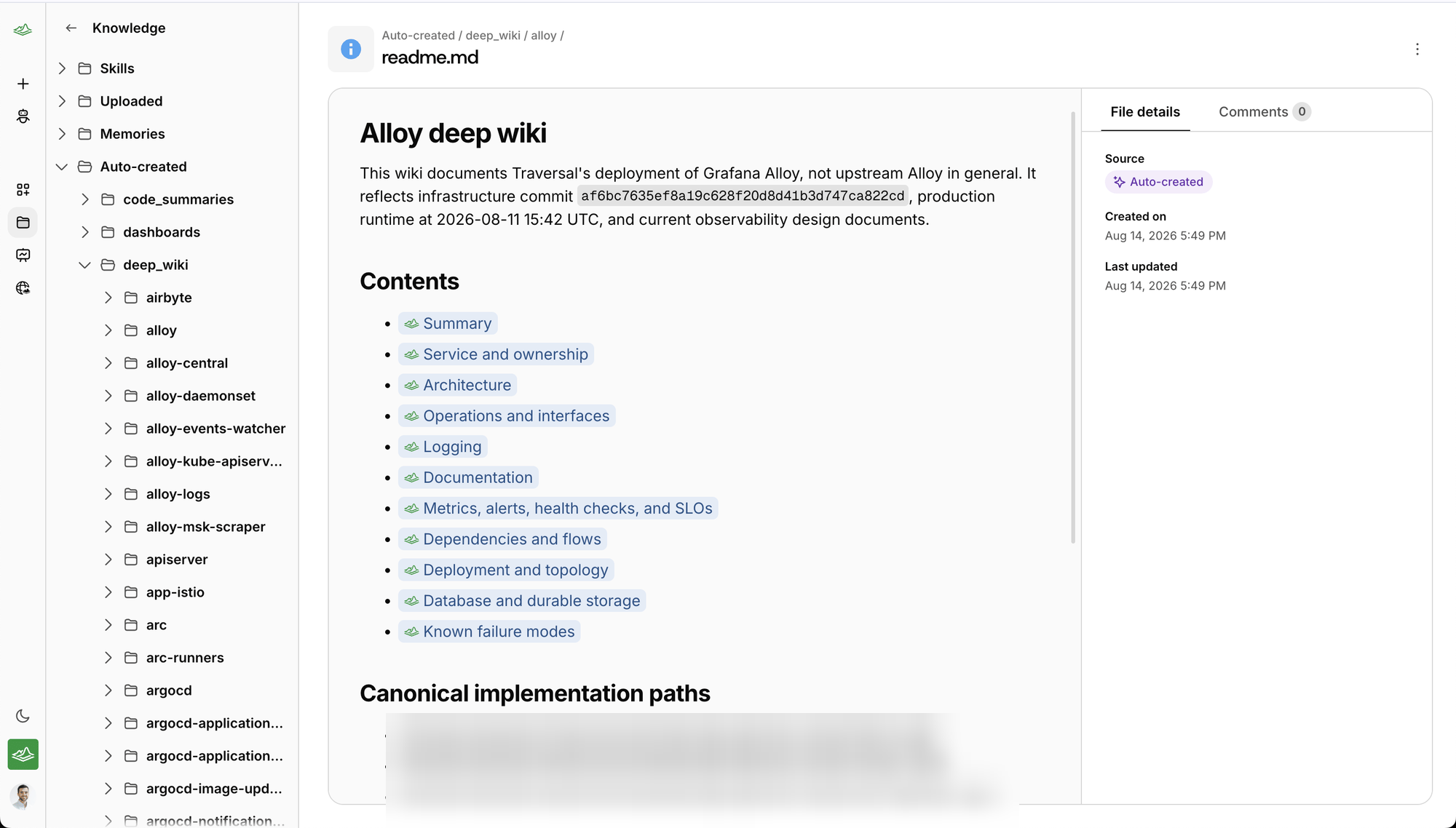
Traversal's own documentation of a service, with a summary, links to each section, and where the entry came from.
See what changed
Traversal doesn’t overwrite the Wiki in place. Each regeneration is committed against the one before it, so the Wiki carries a history rather than only a current state — and the section header reports what the latest pass did: when it ran, and how many pages it added, updated, and removed since the previous version. That makes a self-maintaining Wiki something you can keep an eye on rather than take on faith. A pass that adds a run of new pages usually means Traversal found services it hadn’t documented yet. A pass that updates a page your team relies on is worth a read.Sharpen it with comments
Traversal wrote all of this without a word of input from your team — which also means it’s working from evidence alone. Where you know something the data doesn’t show, or where it drew a conclusion that isn’t quite right, leave a comment and Traversal folds that nuance in as it maintains the page.- Open a file and switch to the Comments tab to weigh in on the page as a whole.
- Or select any passage and choose Quote in comment to attach your note to that exact line.
Skills: shape the steps Traversal takes
A skill is how your team’s own way of working gets into an investigation — the steps you take and the order you take them in. It’s where your preferences and rituals live: how you work a stuck worker pool, what you always pull first when the payments service alerts, which check settles the argument. Traversal reaches for the right skill when the situation calls for it.Start a new skill
Upload or write it
skill-name/SKILL.md so the agent can find it. Create new lets you write one here.Describe the procedure
Create the skill
SKILL.md file and can use it on the next investigation.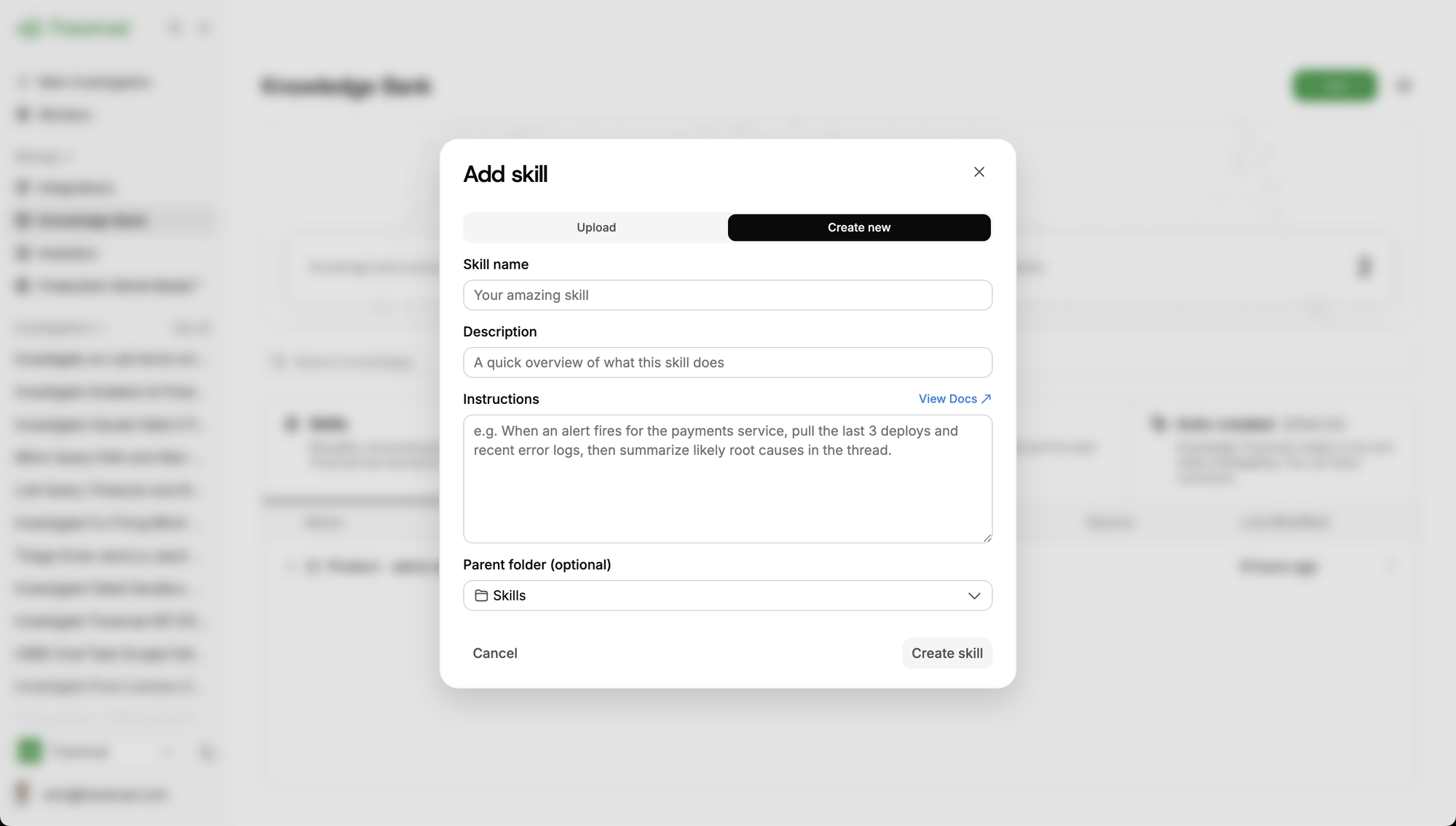
A skill reads like instructions to a teammate: when it applies, what to pull, and what a useful answer looks like.
Uploaded docs: give Traversal more to work with
Skills shape how Traversal works. Documentation expands what it knows. Use it for the information your systems don’t carry: the business constraint, the exception nobody wrote down, the workaround that only works on Tuesdays.Start a new document
Bring in the content
Choose where it lives
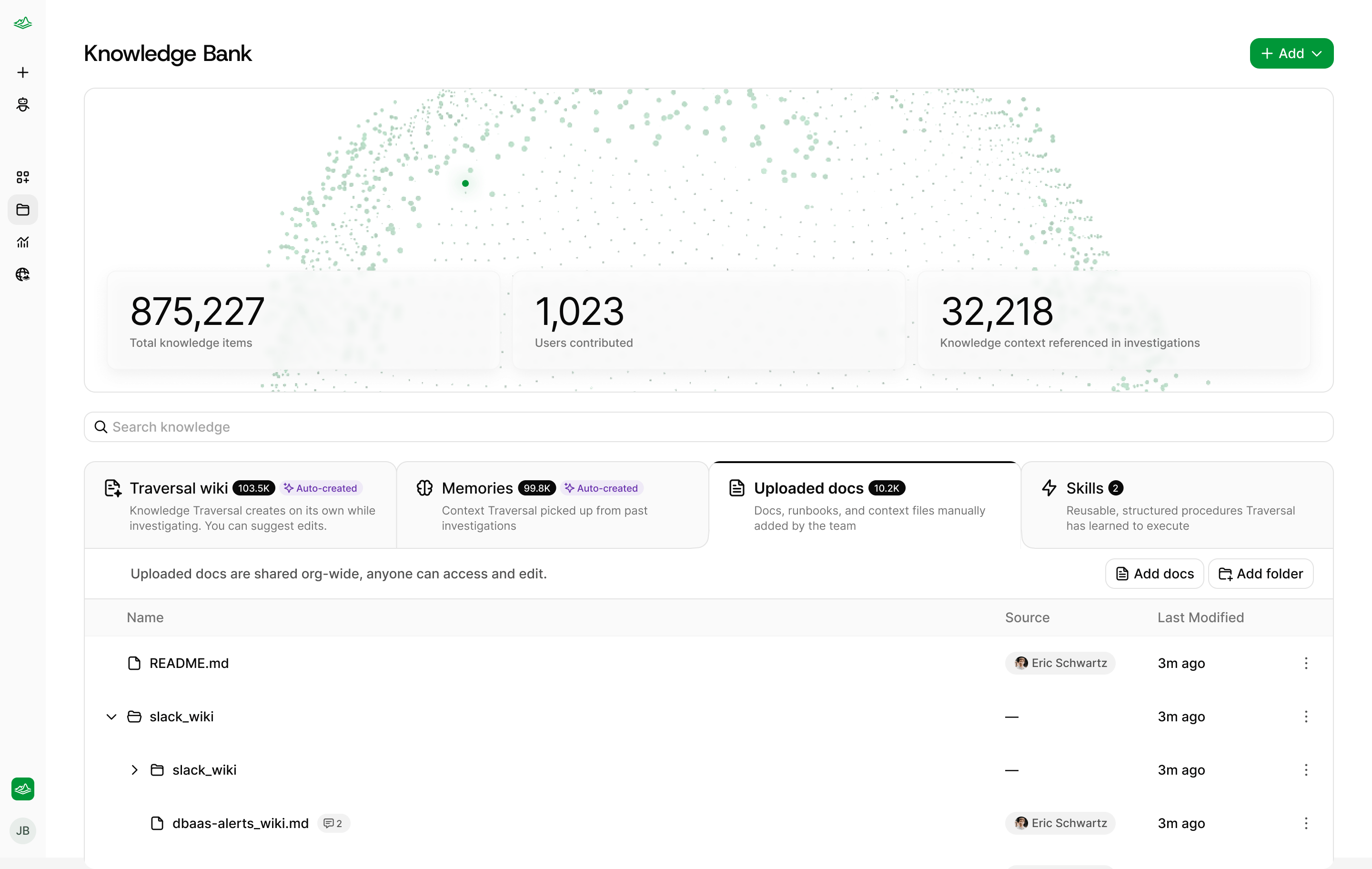
Uploaded docs are shared organization-wide — whatever one person adds, everyone can find and edit.
Edit it where you read it
Skills and uploaded docs are editable in place. Open a Markdown file and choose Edit — the editor handles headings, lists, tables, links, and inline formatting, so keeping a runbook current doesn’t mean downloading it, editing it somewhere else, and uploading it again. Saving publishes immediately, and the next investigation uses the new version. If a teammate changed the file while you had it open, Traversal says so rather than overwriting their work.Memories: Traversal getting better as it works
Traversal learns from working with you. When something durable comes up mid-investigation — you correct it, or tell it to remember something — it drafts a memory and asks before keeping it. The proposal appears in the session. If the investigation started in Slack, a review card is also posted in the same thread so you can approve or reject it without leaving Slack.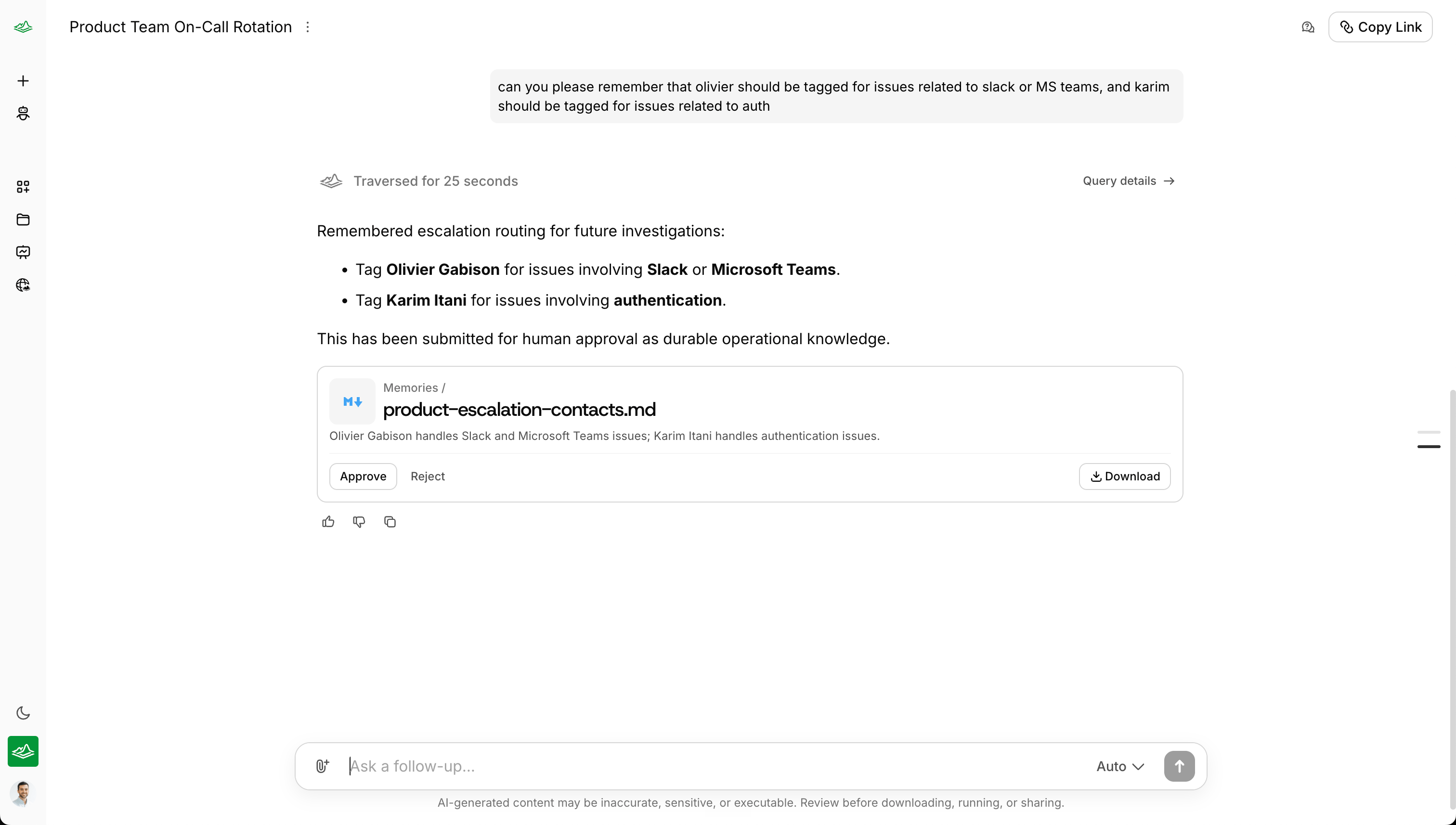
Ask Traversal to remember something and it drafts the memory, then waits for a person to approve it.
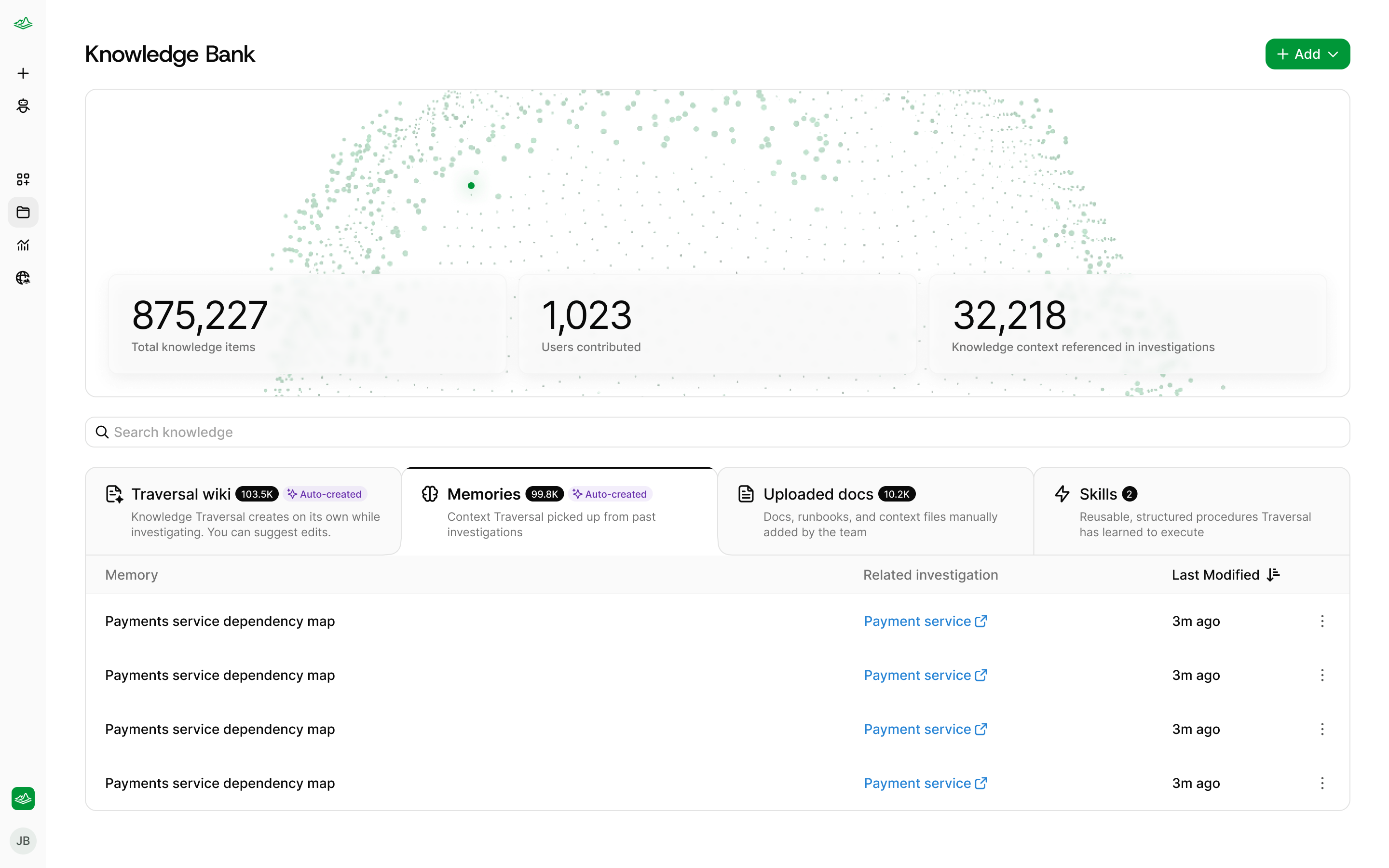
Every memory names the investigation it came from.
Search
Search from the top of any section. It matches file names, folder paths, and Traversal’s one-line summary of each file — not the full text of every document — and returns files grouped by the section they live in, with the matching part of the name highlighted. The query lives in the URL, so a search worth coming back to is just a link.FAQ
Do I have to write runbooks before Traversal is useful?
Do I have to write runbooks before Traversal is useful?
What should I add first?
What should I add first?
What can I edit?
What can I edit?
How do I fix something in the Traversal Wiki?
How do I fix something in the Traversal Wiki?
When does what I add take effect?
When does what I add take effect?
Can Traversal change its own knowledge?
Can Traversal change its own knowledge?
How is this different from the original Knowledge Bank?
How is this different from the original Knowledge Bank?