
Install the Traversal Slack app
SaaS installation
Install Traversal for Slack directly from the Integrations page in Traversal. A Slack workspace administrator for your company must be the one to complete this install.1
Install the app
In Traversal, go to Company Knowledge → Integrations, select Slack, and click Add to Slack. You’ll be redirected to Slack to authorize the app.
2
Authorize in Slack
Review the requested permissions and approve the install.
3
Confirm the health check
Slack returns you to the Integrations page. Confirm the Slack tile passes its health check.
You must be signed into Traversal and start the install from the Slack tile so the app is provisioned for the right organization.
Dedicated deployment installation (Single-tenant SaaS & BYOC)
For single-tenant SaaS or BYOC customers, Traversal creates a dedicated Slack app for your organization.1
Request your install link
Contact the Traversal team to receive a custom Slack app installation URL for your organization.
2
Install the app
A Slack workspace administrator opens the provided link and installs the Traversal app to your workspace.
3
Provision with Traversal
Reach out to the Traversal team to provision your app and start using it.
Verify it works
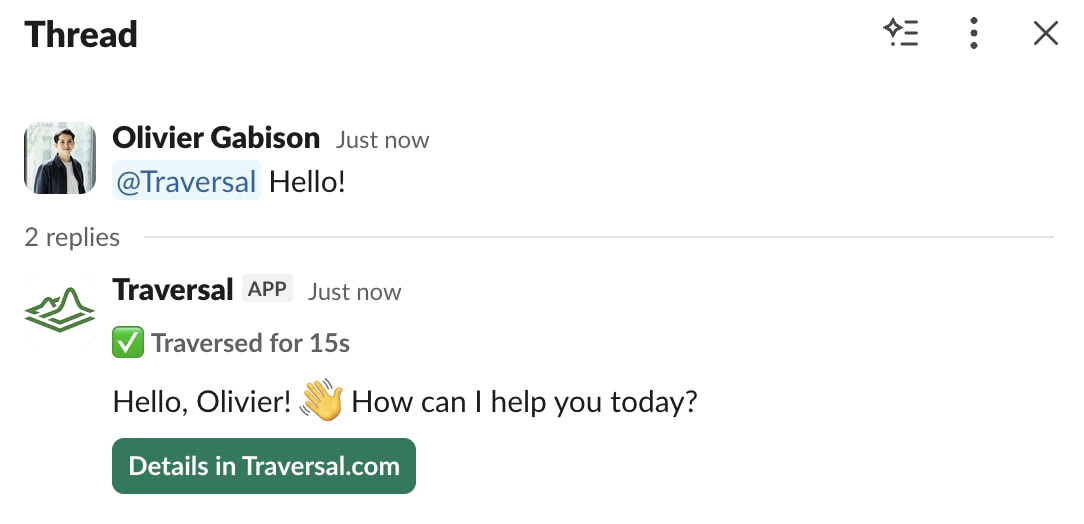
Once your app is provisioned, tag@Traversal in any channel it’s been added to and say hello.
Uninstall and data deletion
To remove the app from your workspace, go to Slack → Settings & administration → Manage apps → Traversal → Remove. For data export or deletion, email support@traversal.com with your workspace ID.FAQ
I'm tagging @Traversal but it's not responding
I'm tagging @Traversal but it's not responding
This likely means your Slack app isn’t provisioned correctly. Reach out to a Traversal team member to verify your app is properly set up.
Using the Traversal Slack bot
Learn how to start investigations, configure triggers, and ask follow-up questions in Slack.