
What Traversal reads
- Metrics — application performance metrics across tiers, nodes, and backends
- Events — application events and health rule violations
- Request snapshots — transaction snapshots for slow or erroring requests
Setup
Enter the API client’s Client ID and Client Secret. Traversal uses them to request and refresh OAuth access tokens automatically. Do not generate a temporary access token in the AppDynamics UI for this integration.
1
Create an API client
-
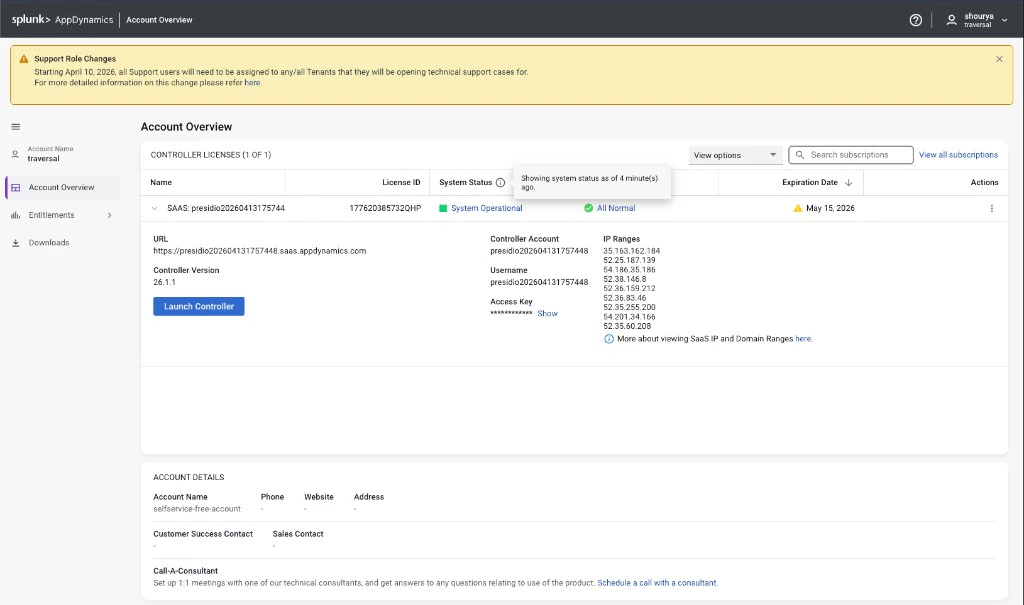
Sign in to the Controller UI as an Account Owner, or as an admin who can manage API clients. If you are
in the Account Overview section click on Launch Controller.
-
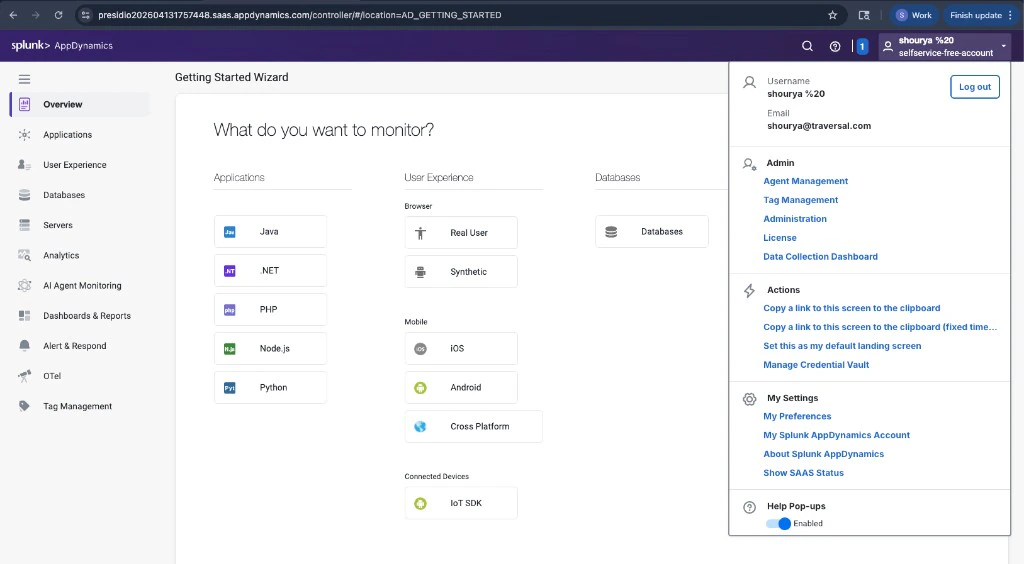
Click your user name, then go to Administration > API Clients.
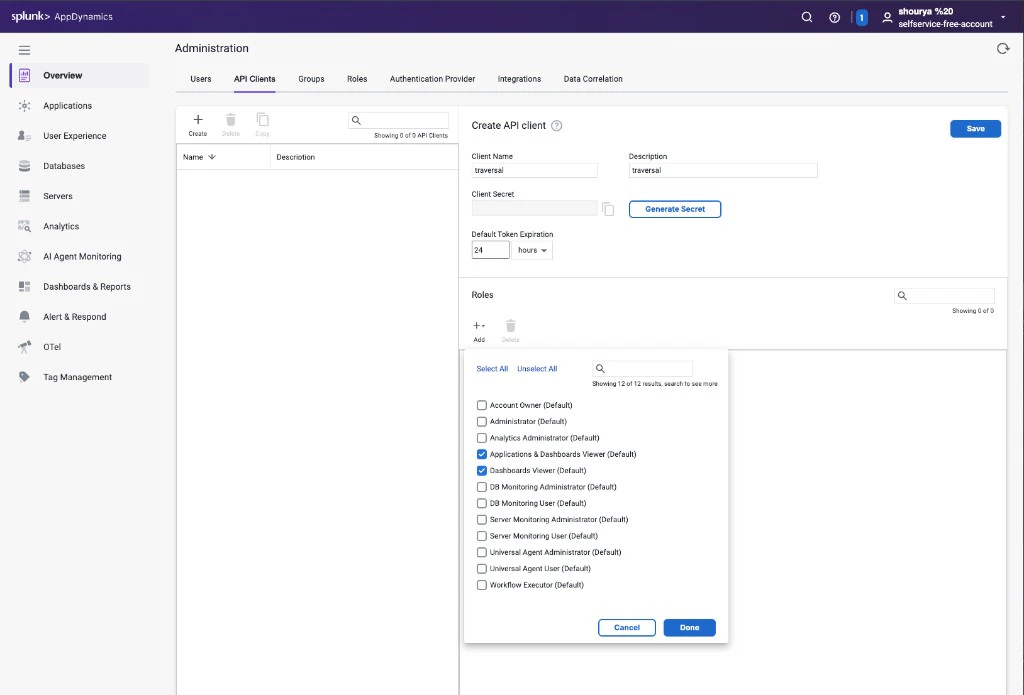
- Click + Create.
- Enter a Client Name and description for Traversal.
- Click Generate Secret, then copy the secret immediately. AppDynamics shows it only once.
- Under Roles, click Add and select Applications & Dashboards Viewer (Default) and Dashboards Viewer (Default).
-
Click Save.
2
Find your account name and controller URL
Click your user name and go to My Splunk AppDynamics Account, or open Administration > Account Overview. You need two values from this page:
- Controller URL — listed under your license details (e.g.
https://example.saas.appdynamics.com) - Controller Account — the account name shown on the same page
3
Gather the values Traversal needs
- Client ID:
<apiClientName>@<accountName>— for example, if your Client Name istraversaland the account name from the previous step ismycompany, entertraversal@mycompany. - Client Secret: The secret you copied when you created the API client.
- Base URL: The controller URL from the previous step (e.g.
https://example.saas.appdynamics.com).
/controller/... API paths itself.4
Configure in Traversal
Go to Company Knowledge > Integrations, select AppDynamics, and enter the Client ID, Client Secret, and Base URL you gathered above.Click Save.If the integration returns empty or unauthorized responses, confirm that the API client has the required roles and that you entered the
client_id in the <apiClientName>@<accountName> format.