
What Traversal reads
- Logs — documents queried from your log indices
Setup
- Elastic Cloud
- Self-managed
1
Find your Elasticsearch endpoint
In your Elastic Cloud project, click the Help icon (top right) and select Connection details. Copy the Elasticsearch endpoint URL (e.g., 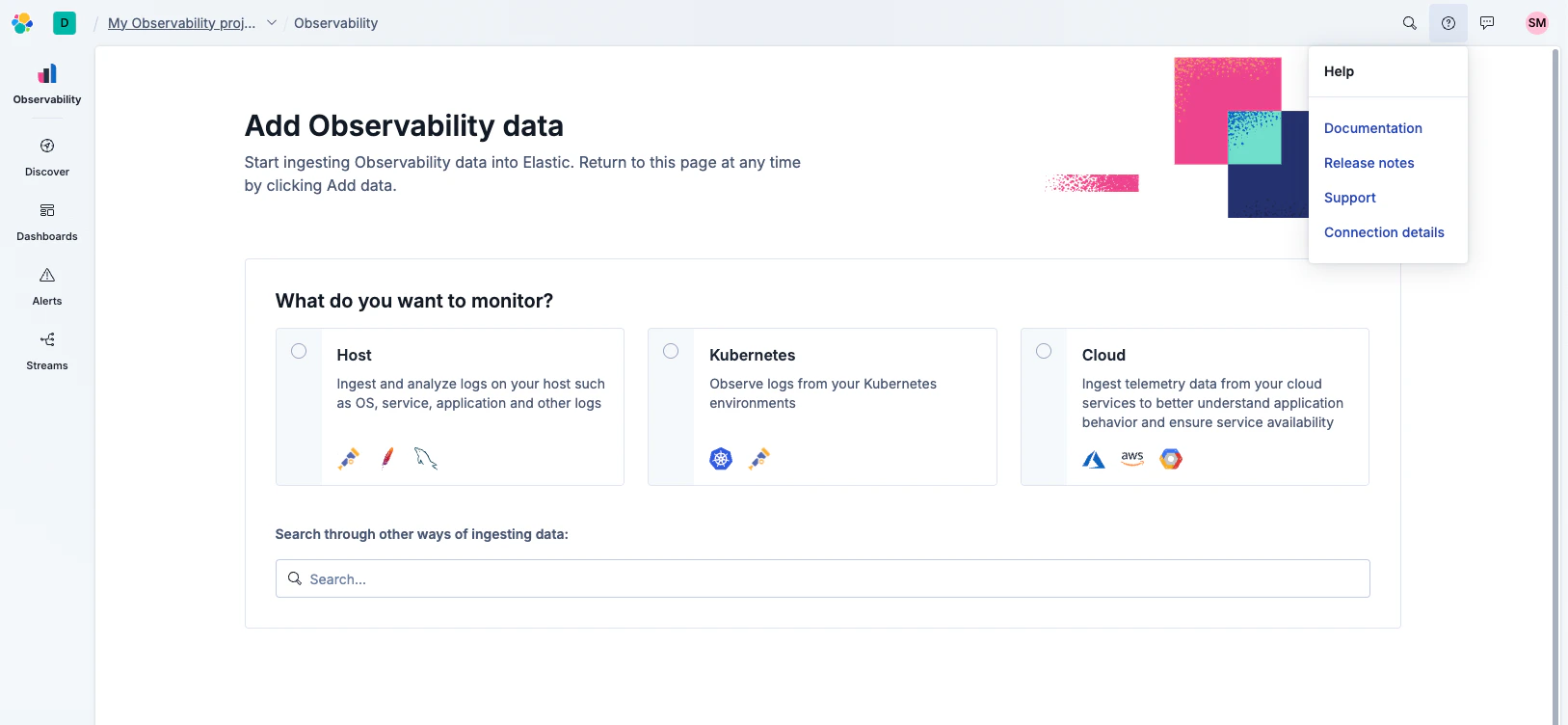
https://my-project-XXXX.es.us-central1.gcp.elastic.cloud).2
Create an API key
Go to Settings > Access > API keys and click Create API key. Give it read access to the indices Traversal should query.After creation, Elastic shows you a single encoded API key value — copy it.
Create a user API key, not a cross-cluster API key.
3
Configure in Traversal
Go to Company Knowledge > Integrations, select Elasticsearch, and enter:
- Host: the Elasticsearch endpoint from step 1
- Authentication: select API Key and paste the encoded key